33
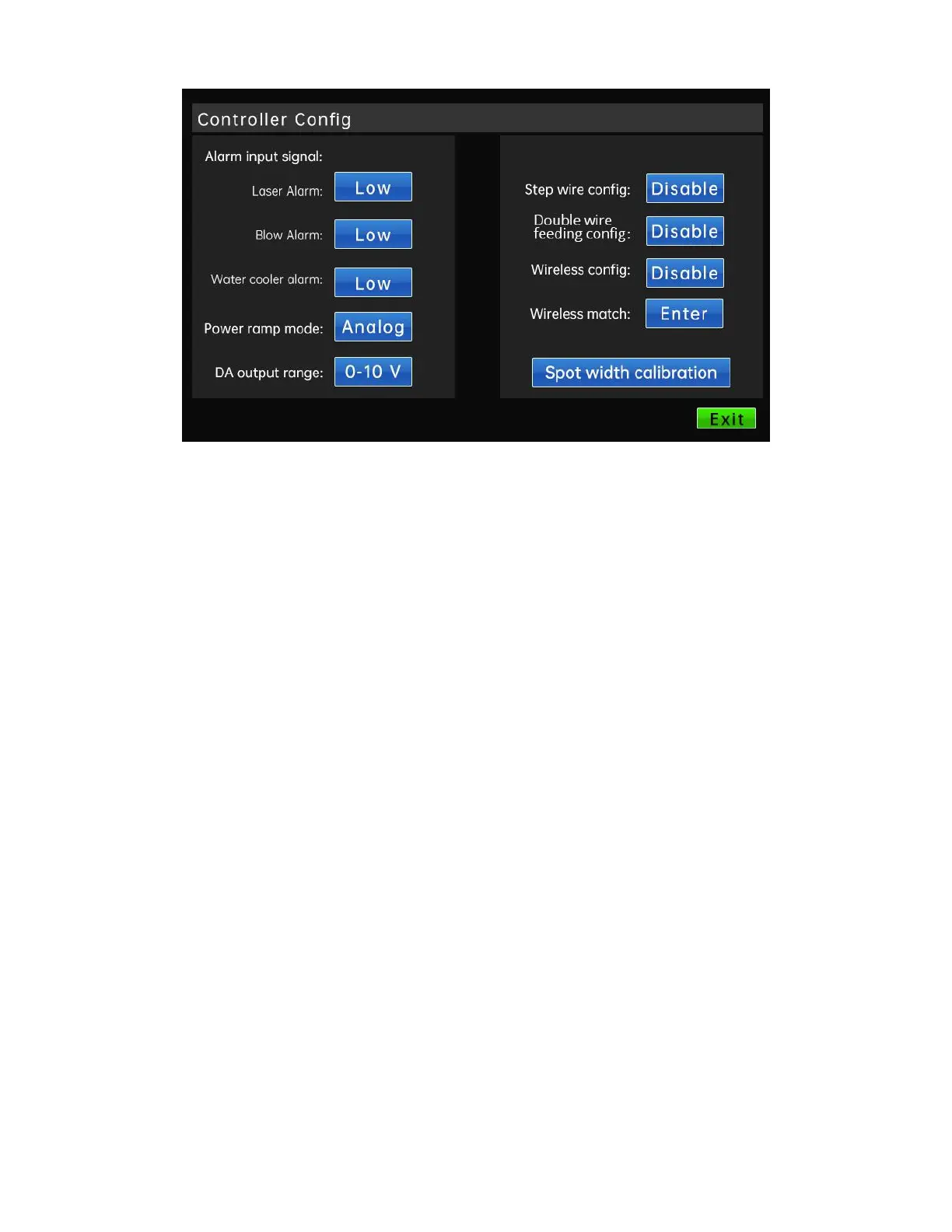
Click the controller configuration button on the homepage and enter the password to
enter the control configuration interface. You can configure some functions and
parameters of the controller.
Alarm input signal: Configure the corresponding alarm signal as a high-level alarm
or a low-level alarm. The system defaults to a low level alarm and supports two IO port
input signals, namely, the laser alarm input signal and the air pressure alarm input signal.
Analog output range: You can select the analog voltage output range of the
controller, and adapt to different lasers by changing the output range.
Stepping wire feeder configuration: Choose to enable or disable the stepping wire
feed (users who use our MARS9000 series wire feeder, please set this option to enabled).
Double wire feeding configuration: Choose to enable or disable the double wire
feeding (users who use our MARS5000-D series wire feeder, please set this option to
enabled).
Wireless controller configuration: Choose to enable or disable the wireless
communication module (users who use our HW970 series handheld laser welding head,
please set this option to enabled).
Wireless controller matching: To communicate and match with the wireless control
module. This button is available when the wireless controller is configured as "Enable".
2.4 Welding work interface



 To Next Page