400-102-000-A 1/4
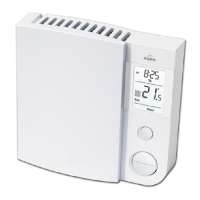
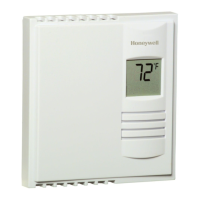
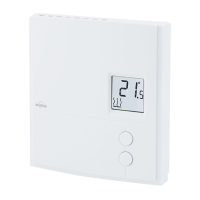
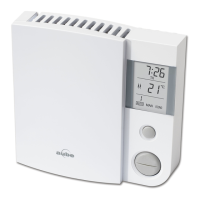
MODELS TH102 & TH102-3
SUMMARY
OPTIONS SELECTION
To change the temperature from °C to °F and back, maintain DAY
buton pressed down as RESET button is being pressed on and
released. Then release DAY button.
To change the time format from 24 hrs. to 12 hrs. and back, maintain
HOUR button pressed down as RESET button is being pressed on
and released. Then release HOUR button.
To change the heating control from proportional to on/off and back,
maintain MIN button pressed down as RESET button is being
pressed on and released. Then release MIN button.
TO SET TIME AND DAY
Press on DAY, HOUR and MIN buttons to adjust time and day.
TO RECORD THE HEATING PROGRAMS
Set the operating mode to AUTO. Use the PGM button to select the
program to be recorded or modified. Once the program is selected,
use HOUR and MIN buttons to set time and or to select
temperature setting.
TO RECORD THE ECONO PROGRAMS
Set the operating mode to ECONO. Use the PGM button to select the
program to be recorded or modified. Once the program is selected,
use DAY, HOUR and MIN buttons to set time and or to select
temperature setting.
OPERATING MODES
To select an operating mode, use MODE button.
AUTO: Runs the program. or shows temperature setting
and can override temporarily your programming.
MAN: Maintain the selected temperature. or change
the temperature setting.
ECONO: Maintain a temperature setting up to the user's pre-
programmed day and time. or shows temperature
setting and can override temporarily your programming.
INSTALLATION
Note: The "Problems and Solutions" section at the end of this user's guide
will help you to correct your problems during the installation.
This thermostat has been designed to operate with any installation which has a
RESISTIVE load not exceeding 2500 W @ 240 VAC or 1250 W @ 120 VAC such
as electric baseboards, radiant ceilings and floors, electric convectors, etc. It is
not compatible with a low voltage controller used by a central heating system or
systems using a contactor or a relay whose current is under 1.0 A.
Electricians or experienced technicians should install the thermostat.
This thermostat is designed to be used with a self-protected heating system
equipped with thermal cut off and circuit breaker.
PARTS INCLUDED
- One (1) thermostat
- Two (2) 6-32 screws, 1 ½ inches
- Two (2) solderless connectors
TURN OFF POWER OF THE HEATING SYSTEM AT THE MAIN POWER
PANEL TO AVOID ELECTRICAL SHOCK. Keep air vents of thermostat clean
and free from obstructions.
1) Connecting wires and mounting thermostat
Connect the rear thermostat wires to the power supply and to the electric heater
wires using solderless connectors for copper wires (there is no polarity for the
wires). See schematic diagram.
2-wire installation :
Electric baseboard
120 / 240 VAC
Line
Solderless
connector for
copper wires
NOTE: To access the programmable keyboard, remove the cover by placing
your fingers to the right side of the thermostat and pull toward you.
Push the excess wire back into the electrical box to prevent interference with the
thermostat. Secure the thermostat using the supplied screw. Once the thermostat
is properly installed, return power to heating system.
Note 1 : All cables and connections must conform to the local electrical
code.
Note 2 : In normal use at full capacity (2500 W), the housing temperature of
the thermostat can reach 35 to 40 °C.
WARNING : Special CO/ALR solderless connectors must be used when
connecting with aluminum conductors.
2) Options selection
Some options have been factory set. Those default settings are :
• The temperature is in °C, the heating control is proportional and the time
format is 24 hrs.
2.1 Temperature displayed in °C or °F
To change the temperature from °C to °F and back, maintain DAY button pressed
down as RESET button is being pressed on and released. Then release DAY but-
ton.
2.2 Time format displayed in 24 hours or 12 hours
To change the time format from 24 hrs. to 12 hrs. and back, maintain HOUR but-
ton pressed down as RESET button is being pressed on and released. Then
release HOUR button.
4-wire installation :
Electric baseboard
120 / 240 VAC
Line
Solderless
connector for
copper wires

 Need help?
 General



 To Next Page