
 Need help?
Do you have a question about the Aube Technologies TH106 and is the answer not in the manual?
Ensure power is off and installation is performed by an electrician to avoid shock.
Follow safety, code, and placement guidelines for proper installation and wiring.
Details the function and factory settings of the thermostat's configuration switches (SW1-SW4).
Instructions for setting the current time and day.
How to enable or disable automatic Daylight Savings Time adjustments.
Explains how to select and use Comfort, Economy, and Vacation preset temperatures.
How to set and save custom temperatures for Comfort, Economy, or Vacation modes.
How changing the setpoint temporarily overrides the automatic schedule.
Instructions for setting start times for Wake, Leave, Return, and Sleep periods daily.
Lists common problems and their solutions, including error codes like E2.
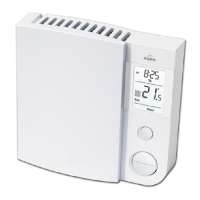
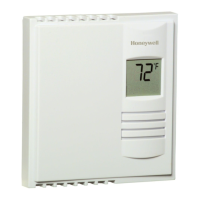
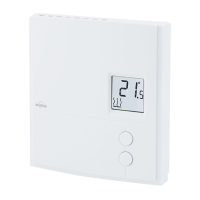
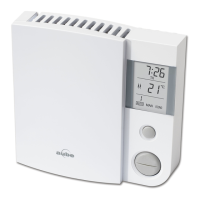
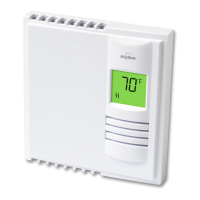
The Aube TH106, TL6160 is a programmable thermostat designed for controlling electric heating systems. It is suitable for various heating types, including electric baseboard heaters, radiant ceilings, radiant floors, convectors, and fan-forced heaters. The thermostat is not compatible with resistive loads over 16.7 A or under 2 A, systems driven by a contactor or relay (inductive load), or central heating systems.
The thermostat allows users to program a heating schedule with four periods per day, representing a typical weekday. Each period can have a different start time for each day of the week. Users can also skip periods that do not apply to their situation, such as periods 2 and 3 for the weekend. The thermostat comes with a pre-programmed schedule, but it can be easily modified.
The thermostat offers three preset temperatures: Comfort, Economy, and Vacation. The Comfort temperature is typically used when at home, the Economy temperature when asleep or away from home, and the Vacation temperature for prolonged absences. These presets can be customized and stored.
The thermostat operates in two main modes: Automatic and Manual. In Automatic mode, the temperature is set according to the programmed schedule. The thermostat can also utilize an "Early Start" function in Automatic mode, which calculates the optimal time to begin heating to reach the desired temperature by the set time. This function reassesses the start time daily based on previous day's performance. In Manual mode, the programmed schedule is not used, and the temperature must be set manually.
A temporary bypass feature allows users to modify the setpoint in Automatic mode. The new setpoint will be used until the end of the current period, after which the thermostat reverts to the scheduled setpoint. The bypass can be canceled by pressing the Mode button.
The thermostat includes a keypad lock function, which, when enabled, restricts temperature adjustments to viewing the setpoint only.
The thermostat features a clear display that shows the current temperature, setpoint, time, day, and mode of operation. Icons indicate the current period, preset temperature, and whether the thermostat is configured for a fan-forced heater.
Setting the time and day is straightforward, with dedicated buttons for hour, minute, and day adjustments. The thermostat also supports automatic re-adjustment for Daylight Savings Time, switching on the second Sunday of March and to normal time on the first Sunday of November. This function is disabled by default if the clock loses its setting.
Programming the schedule involves accessing the programming mode, selecting the desired day and period, and then setting the start time or clearing the period to skip it. The thermostat automatically exits programming mode if no button is pressed for 60 seconds.
Viewing the setpoint is done by briefly pressing the up or down temperature adjustment buttons. To change the setpoint, users press and hold these buttons until the desired temperature is displayed.
The thermostat is designed for easy installation into an electrical box, with clear instructions for connecting wires. It is recommended to install the thermostat about 5 feet high on an inside wall facing the heater, avoiding drafts, dead air spots, direct sunlight, or walls concealing chimneys or stove pipes.
In case of a power outage, the thermostat displays "LP" (Low Power) for the first minute, then the screen goes blank. Settings are stored in memory. However, if the power failure exceeds 4 hours, the clock and Daylight Savings Time function (if enabled) must be re-adjusted. The thermostat will return to its previous mode of operation once power is restored.
The thermostat includes a troubleshooting guide to address common issues such as the thermostat being hot, display errors (LO, HI, wrong temperature/time), temperature not changing according to schedule, "LP" appearing despite power, faded display, or inability to change settings. For instance, if "LP" appears or the screen is blank, it could indicate an opened thermal circuit breaker in the heater due to obstruction or a defective breaker. If "E2" is displayed, it signifies a sensor error, and technical support should be contacted.
It is important to keep the thermostat's vents clean and unobstructed to ensure proper operation. The thermostat wires are not polarized, allowing either wire to be connected to the load or the power supply.
 General
| Display | LCD |
|---|---|
| Power Source | 24 VAC |
| Color | White |
| Backlight | No |
| Temperature Range | 5 to 30°C (40 to 85°F) |
| Compatibility | Central Heating and Cooling Systems |
| Application | Heating and Cooling |
| Voltage | 24 VAC |
| Stages | 1 Heat/1 Cool |
| Battery | No |




 To Next Page

