EasyManua.ls Logo

Aube Technologies TH106-A-347S4 - User Manual

Aube Technologies TH106-A-347S4
3 pages
Print Icon
To Next Page IconTo Next Page
Loading...
TH106-A-347S4 400-106-011-A 22/1/07 1/3
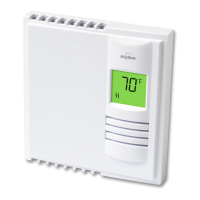
This programmable thermostat can be used to control an electric
heating system such as an electric baseboard heater, a radiant ceil-
ing, a radiant floor, a convector, etc.
The thermostat cannot be used with the following:
a resistive load greater than 16.7 A
a resistive load less than 2 A
a system driven by a contactor or relay (inductive load)
a central heating system
SUPPLIED PARTS:
One (1) thermostat
Two (2) 6-32 screws
Two (2) solderless connectors
TURN OFF POWER TO THE HEATING SYSTEM AT THE MAIN
POWER PANEL TO AVOID ELECTRICAL SHOCK.
THE INSTALLATION MUST BE PERFORMED BY AN ELECTRI-
CIAN.
All cables and connections must conform to the local electrical
code.
Special CO/ALR solderless connectors must be used when con-
necting with aluminum conductors.
Install the thermostat onto an electrical box.
Install the thermostat about 5 feet high, on an inside wall facing
the heater.
Avoid locations where there are air drafts (such as the top of a
staircase or an air outlet), dead air spots (such as behind a
door), or direct sunlight.
Do not install the thermostat on a wall that conceals chimney or
stove pipes.
The thermostat wires are not polarized; either wire can be con-
nected to the load or to the power supply.
NOTE: Always keep the thermostat's vents clean and unobstructed.
n
o Connect the thermostat wires to the line wires and to the load
wires using solderless connectors for copper wires.
p Push any excess wire back into the electrical box.
q Before installing the TH106 thermostat base, install provided
adapter plate (U-shaped) on 347V electrical box which is bigger
than regular electrical boxes.
NOTE: If necessary, before re-installing the front component, config-
ure the thermostat (see section 3).
r Return power to heating system.
n
Description
1.
o
Installation
2.
Select the
operating mode
Set the time
Time and day
Temperature
Operating
mode icons
Skip a period
Program the
schedule
Temperature
preset icons
Temperature
adjustment
buttons
Temperature
preset buttons
Heating power
indicator
Periods
Appears when the
setpoint is displayed
Set the day
2-wire installation
4-wire installation
TH106-A-347S4
User Guide
Programmable Thermostat
400-106-011-A (TH106-347V) ENG.fm Page 1 Monday, January 22, 2007 3:52 PM


Questions and Answers

Aube Technologies TH106-A-347S4 Specifications

General IconGeneral
TypeProgrammable Thermostat
Temperature Range5°C to 30°C
DisplayLCD
ControlDigital
ApplicationElectric Heating
ColorWhite
BacklightNo
ProgrammableYes
BatteryNo
Wiring2-wire connection

Summary

Product Description

Installation Guide

Wiring Installation Types

Details on 2-wire and 4-wire installation methods.

Connecting Thermostat Wires

Connect thermostat wires to line and load wires using solderless connectors.

Wire Management in Box

Push excess wire into the electrical box before mounting.

Adapter Plate Mounting

Install the provided adapter plate on 347V electrical boxes.

Final Power Connection

Restore power to the heating system after installation.

Configuration Settings

Configuration Switches

Details on configuration switches located on the thermostat's back.

Early Start Function

Explanation of the Early Start feature for optimal heating.

Temperature Format

Impact of changing temperature display format on preset temperatures.

Cycle Length

Guidance on selecting cycle length for effective temperature control.

Operation Modes

Automatic Mode

Temperature controlled by programmed schedule.

Temporary Bypass

Setpoint modification until the end of the current period.

Manual Mode

Temperature set manually without using the programmed schedule.

Schedule Programming

Schedule Periods

Overview of the four daily periods: Wake, Leave, Return, Sleep.

Preset Temperature Usage

How Comfort, Economy, and Vacation temperatures are used.

Storing Preset Temperatures

Method to store Comfort or Economy temperatures.

Modifying the Schedule

Step-by-step guide to program daily schedule periods and times.

Troubleshooting

Thermostat Heating

Normal operating temperature range for the thermostat housing.

Incorrect Temperature Display

Causes for wrong temperature display, like drafts or screen stickers.

Time Display Issues

Troubleshooting when the wrong time is displayed.

Schedule Adherence

Checking Automatic mode, schedule, and clock settings for schedule issues.

Display Disappearance

Potential causes for display disappearing and reappearing.

Faded Display During Heating

Reasons for a faded display when heating is activated.

Technical Specifications

Power Requirements

Voltage and frequency specifications for the thermostat.

Load Ratings

Minimum and maximum load ratings for resistive loads.

Display and Setpoint Ranges

Ranges for temperature display and setpoint adjustment.

Storage Conditions

Recommended temperature range for product storage.

Warranty Information

Product Warranty

Details of the three-year warranty against defects.

Warranty Limitations

Exclusions and limitations for express and implied warranties.

Customer Assistance Contact

Contact information for product installation, operation, or warranty questions.

Related product manuals