Need help?
Do you have a question about the AUDAC COM12 Mk2 and is the answer not in the manual?
Product contains no user serviceable parts. Refer all servicing to qualified service personnel.
Product conforms to essential requirements and specifications of directives 2004/108/EC (EMC) and 2006/95/EC (LVD).
Product should not be disposed with regular household waste. Dispose at local collection point or recycling centre.
Symbols warn about potential hazards of electrical products, indicating dangerous voltages and need to refer to manual.
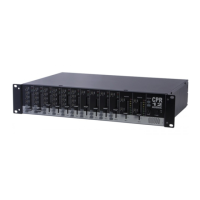
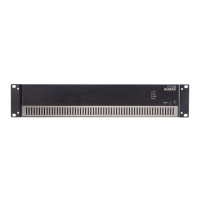
Visual representation of the front panel of the COM12/24 amplifiers.
Detailed explanation of front panel controls including input level, chime, tone, master volume, and LED indicators.
Visual representation of the rear panel connections and controls of the COM24MK2 amplifier.
Detailed explanation of rear panel features like power inlet, loudspeaker outputs, amp in/out, and link connections.
Instructions for connecting loudspeakers using low impedance (4 Ohm) or constant voltage (100V/70V) outputs.
Guide for connecting various audio sources to the amplifier, including initial setup and level adjustments.
Explanation of priority switching on channels 1 & 2 and the priority hierarchy for muting other inputs.
Information on enabling 15V phantom power for condenser microphones on channels 1 to 4.
How to use the priority mute contact for muting background music during emergency situations like fire alarms.
How to select pre-announcement chime tones (siren, 2/3/4-tone) via jumper settings.
Detailed technical specifications of the COM12 and COM24 amplifiers, including power, response, inputs, outputs, and protection.
 General
| Channels | 2 |
|---|---|
| Technology | Class D |
| THD+N @ -3 dB | < 0.1% |
| Mounting | 19" rack mountable |
| Total Harmonic Distortion | < 0.1% |
| Input Impedance | 10 kΩ |
| Impedance | 4 Ω |
| Frequency Response | 20 Hz - 20 kHz |
| Dimensions | 482 x 44 x 200 mm |
| Input Sensitivity | 0 dBV (Line) |
| Cooling | Passive |
| Power Supply | 100-240V, 50/60Hz |


 To Next Page