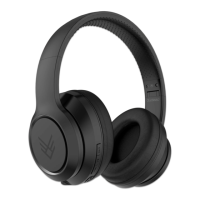
INDULGE WIRELESS HEADPHONES
2 Your Indulge Wireless Headphones
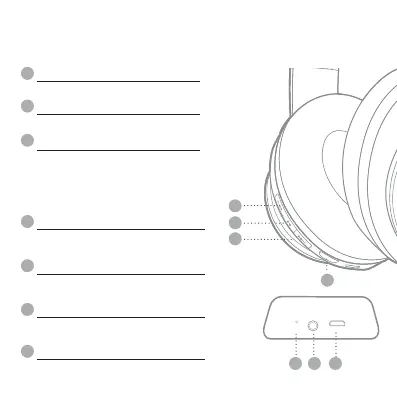
2.2 Control Panel Features
A
B
C
E F
G
D
POWER SWITCH
PAUSE/PLAY/PHONE BUTTON
AUX INPUT
MICRO USB CHARGING PORT
LED INDICATOR LIGHT
VOLUME (+) / NEXT TRACK
VOLUME (–) / PREVIOUS TRACK
Powers your headphones ON / OFF.
- This multi purpose button pauses
/ plays /
receive calls / hang up calls.
- Use of smartphone assistant:
• Google Assistant™ • Siri®
This port is used for connecting to
devices with an auxiliary cable.
Area to plug-in the micro USB cable to
charge the headphones.
This light will illuminate when the headphones
turns ON / OFF / pairing / connected.
This button skips to the next track, and increases volume.
This button goes to the previous track,
and decrease volume.
A
D
E
F
G
B
C


 To Next Page