Parking aid172
garage ⇒ fig. 187. Select “parking mode 2” if you wish to park
parallel to the roadside ⇒ fig. 188.
Applies to vehicles: with Audi parking system advanced
Description
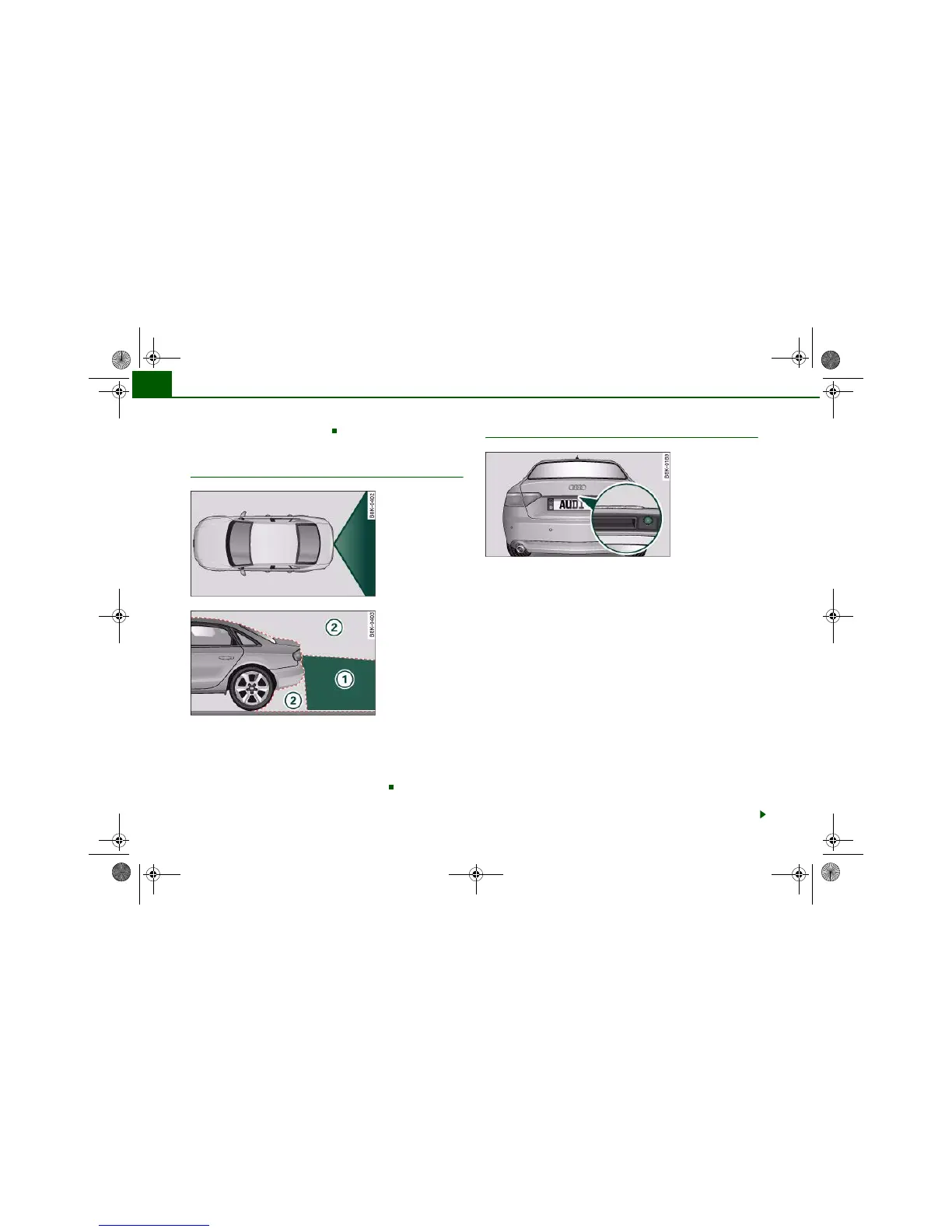
The reversing camera covers approximately the area depicted in
⇒ fig. 189 and ⇒ fig. 190 . This is the area you will see in the
picture on the MMI display. Orientation lines and colour markings
are projected onto the picture to help you when parking or mano-
evring in tight spaces. Objects out of range of the camera in area
do not appear in the picture on the MMI display.
Applies to vehicles: with Audi parking system advanced
General notes
We recommend that you practise parking with the reversing camera
in a quiet location (car park or similar) in order to become familiar
with the system, including the orientation lines and all the other
features. Ideally, the weather and light conditions should be good.
Vehicles or other objects shown in the MMI display appear to be
further away or closer, if:
• you are reversing from a horizontal surface up a gradient or
down a hill,
• you are reversing towards protruding objects,
• the vehicle has been loaded with a greater load on the rear.
The accuracy of the orientation lines and the blue area markings
decreases if:
• the reversing camera does not provide a reliable image, e.g. if
visibility is poor or the lens is dirty,
• the sun is so dazzling that you cannot see the image on the
display screen.
How to clean the lens of the reversing camera
The reversing camera is located above the rear number plate. To
ensure that the parking aid works properly, the lens ⇒ fig. 191 must
be kept clean.
Fig. 189 Viewed from
above: Area covered by
the reversing camera
Fig. 190 Side view: :
Area covered by the
reversing camera; :
area NOT covered by
the reversing camera
A
1





 To Next Page