46 Clear v ision
instrument cluste r illuminates when the
high beams are on.
- The headlight flash er works only as long as
you hold the lever - even if there are no
lights turned on . The indicator light
II in
the instrument cluster illuminates when you
use the headlight flasher.
A WARNING
Do not use the high beam or headlight
flasher if you know that these could blind
oncoming traffic.
Interior lights
Front and rear interior lighting
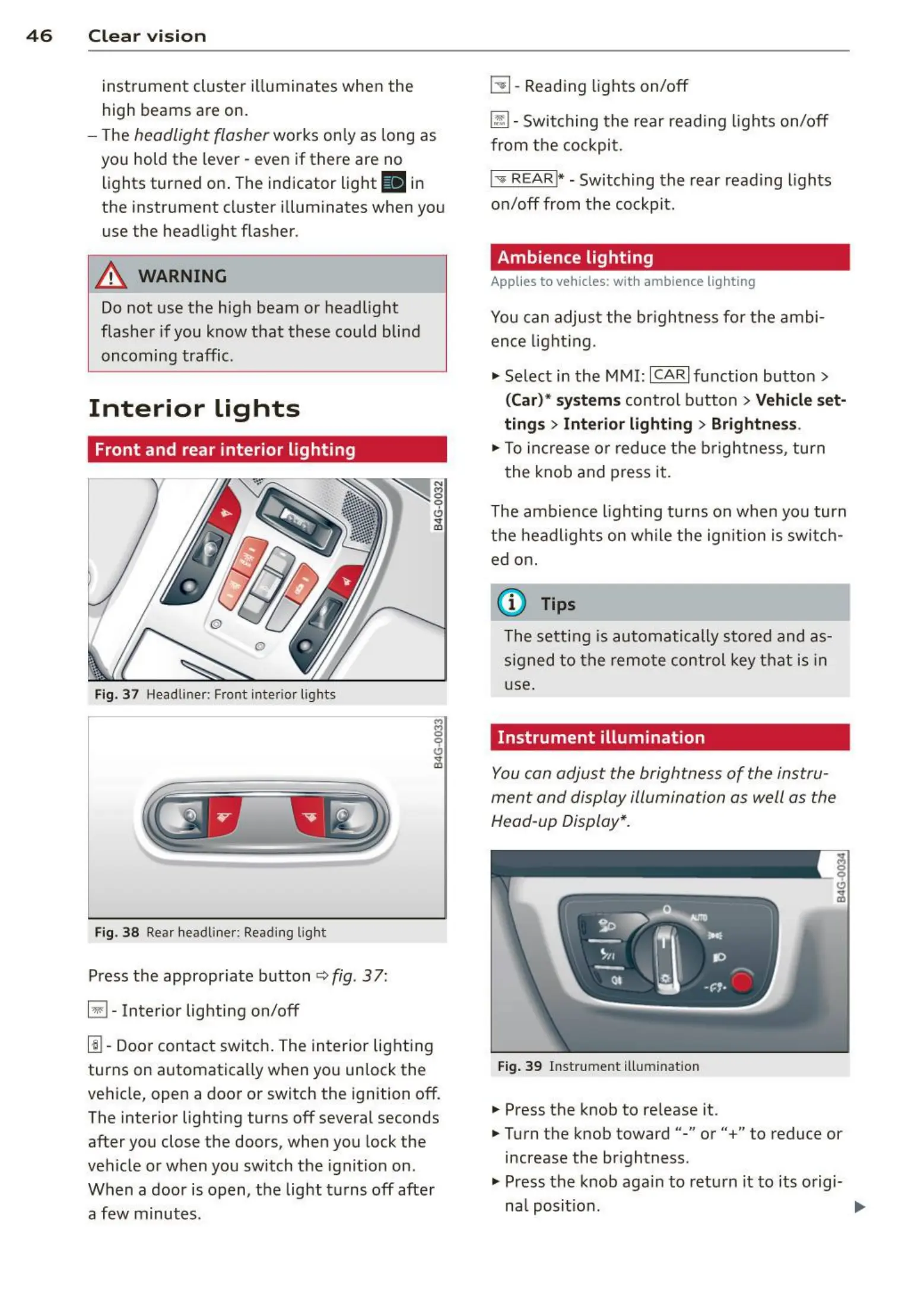
Fig. 37 Headliner: Front interior lights
Fig. 3 8 Rear headli ne r: Readi ng light
Press the appropriate button q fig . 3 7:
El-Interior lighting on/off
I]]- Door contac t switch . The inter ior lighting
turns on automatica lly when you unlock the
vehicle, open a door or switch the ignition off.
The interior lighting turns off several seconds
after you close the doors , when you lock the
vehicle or when you switch the ignition on.
When a door is open, the light t urns off afte r
a few minutes.
L:!l-Reading lights on/off
~
- Switching the rear reading lights on/off
from the cockpit .
I" REARI* - Switching the rear reading lights
on/off from the cockpit.
Ambience lighting
Applies to veh icles: with amb ience lighting
You can adjust the br ightness for the ambi-
ence lightin g.
.. Select in t he MMI:
ICARI function button>
(Car)* system s control button > Vehicle set-
ting s
> Interi or lighting > Brightne ss.
.. To increase or reduce t he brightness, turn
t he knob and press it .
The ambience light ing tu rns on when you turn
the headlights on wh ile the ign ition is swi t ch-
ed on.
(D Tips
The setti ng is automati cally sto red and as-
signed t o the remo te contr ol key t hat is in
use.
Instrument illumination
You can adjust the brightness of the instru-
men t and display illumination as well as the
Head-up Display*.
Fig. 39 Instrume nt illumina tion
... Press the knob to release it.
.. Turn the knob toward"-" or" +" to reduce or
increase the br ightness .
.. Press the knob again to return it to its origi-
nal posit ion. ...















 To Next Page