7 2 Warm and c old
(D Note
To avoid damage to the heating elements
in the seats, do not kneel on the seats or
place heavy loads on a small area of the
seat .
Setup
Applies to vehicles: with four-zone automat ic clima te con·
tro l
The climate control system setup is accessed
through the MMI .
.,. Se lect : I CARI func tio n button> (Car)* sys·
terns
con t rol but t on > AC.
Rear cabin settings*
When th is fu nction is selected, all sett ings for
the rear can be adjusted through the climate
control syst em in the cockpit. The climate
con t rol syst em set t ings cannot be adjusted in
the rea r seat at the same t ime. This func t ion
switches
off after a certain period of time or
when one of the dia ls in the cockp it is press-
ed .
Auto recirculation*
The sensit ivity level of the aut omatic rec ircu-
lation mode can be set at vario us levels from
off to sensitive. The recirculation mode is con -
trolled a utomat ically. You must press the ~
button if fog forms on the windows.
Footwell temperature
You can adju st t he footwell temperat ure so
that it is cooler or wa rme r.
Supplementary heater*
The supplementary heater warms the interio r
of veh icles with diesel engines * mo re quickly.
The supplementa ry heater is cont rolled au t o-
mat ically in the
Auto set t ing .
Steering wheel heating
Applies to vehicles: with hea ted stee ring wheel
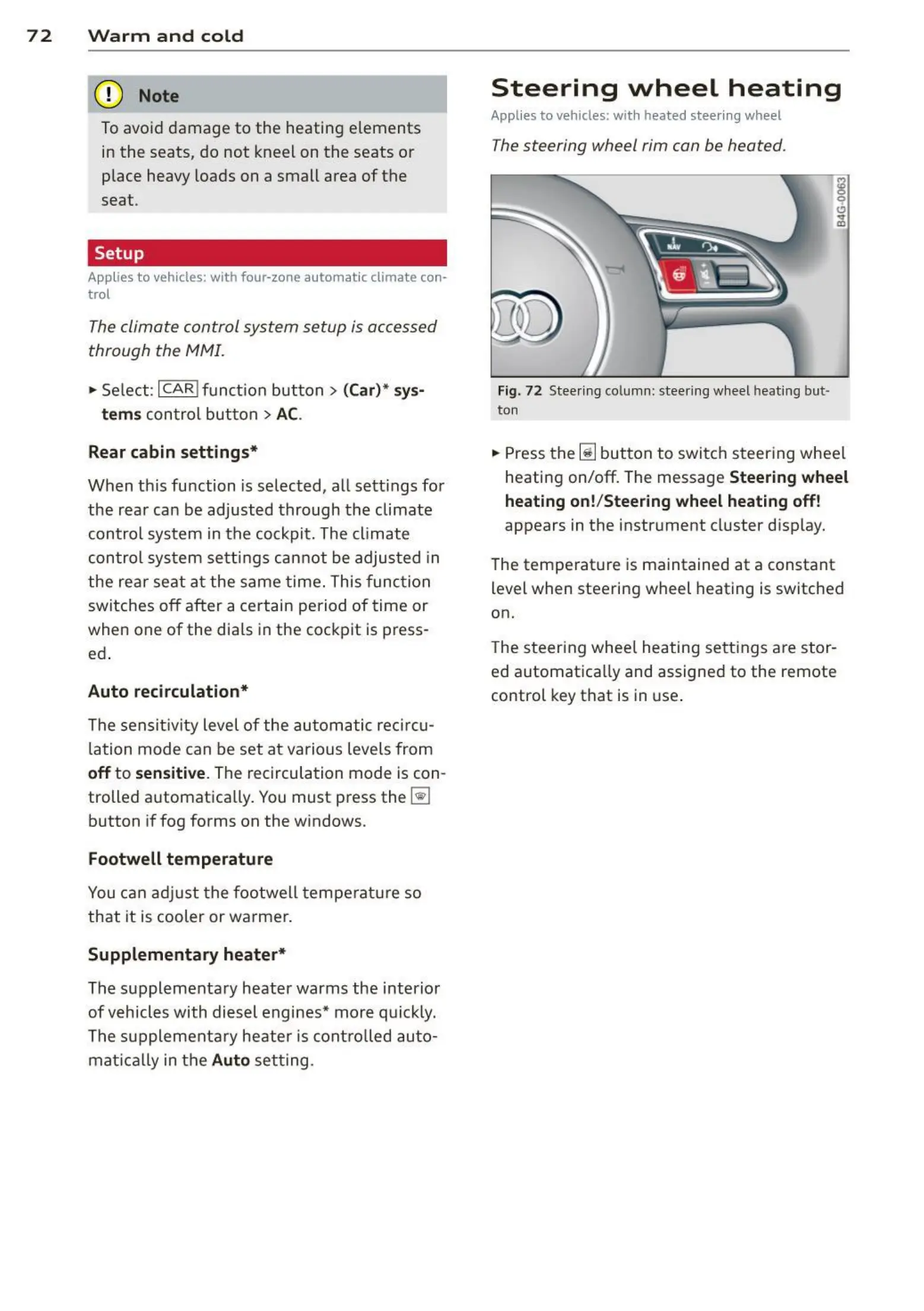
The steering wheel rim can be heated .
Fig. 72 Stee ring column : stee ring wheel heat ing but ·
ton
.,. Press the ~ button to switch steering whee l
heating on/off. The message
Steering wheel
heating on!/Steering wheel heating off !
appears in the instr ument cluster d isp lay.
The temperat ure is maintained at a constant
level when steering wheel heating is switched
on.
The steering wheel hea t ing se tt ings are stor -
ed automat ically and assigne d to the remote
control key that is in use .















 To Next Page