EQ
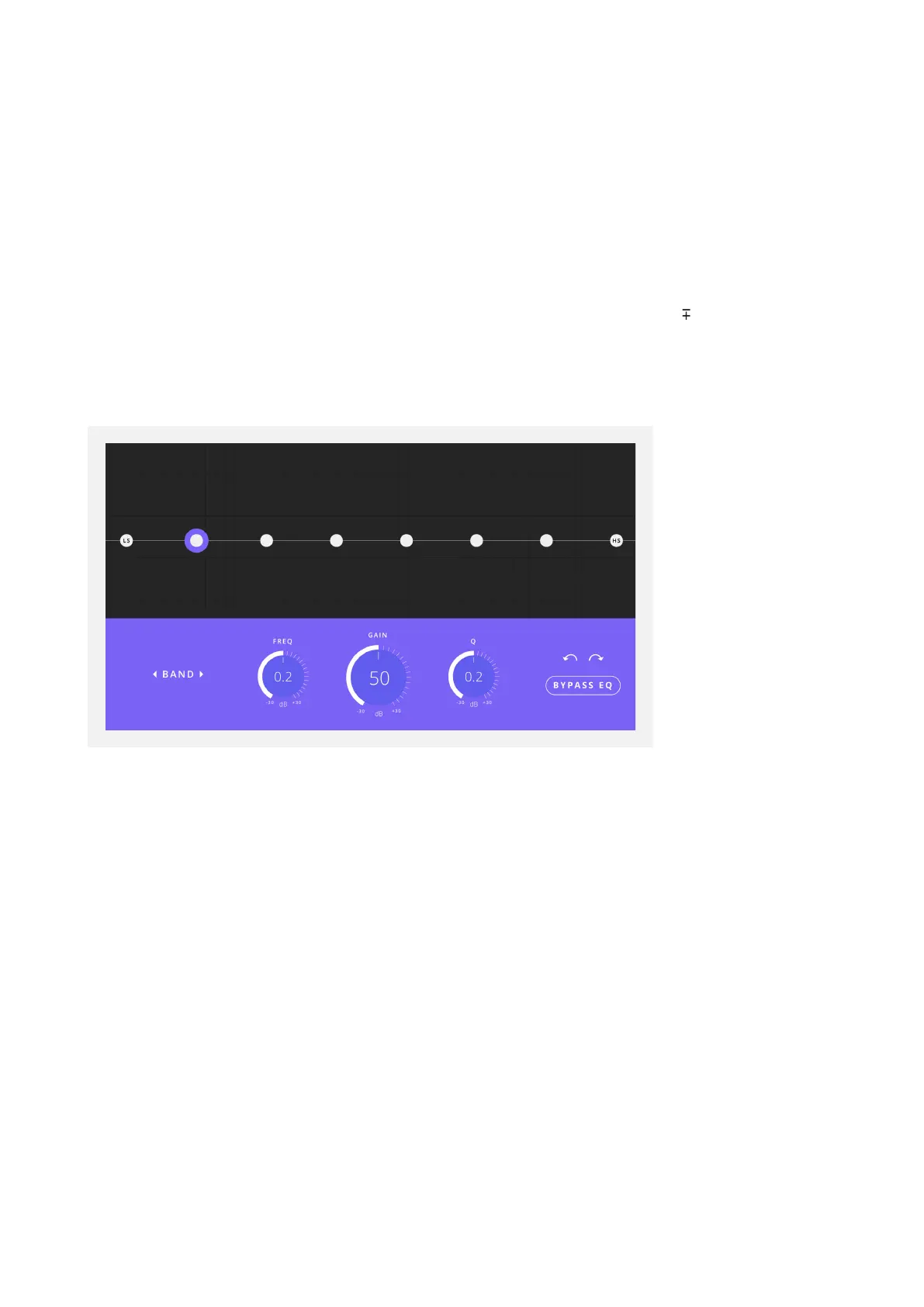
Each speaker output has its own EQ, featuring 8 bands that can adjust 12db between
20Hz - 20kHz and a Low and High shelf. This level of control enables the speaker’s
sonic performance to be fine-tuned to your configuration and room.
Click on one of the dots to adjust the settings for that particular band. The dot will be
highlighted to indicate that is the band being adjusted.
You can then either drag the dot on the graph to change its settings, or you can manually
enter your values by double-clicking on the Frequency, Gain and Q controls.
You can use the left and right arrows to cycle through the EQ bands. It is also possible
to cycle through the bands by holding the Command/CTRL keys and pressing the left
and right arrow keys on your keyboard.
Undo and Redo Buttons are provided should you make a mistake with your settings.
The Bypass EQ Button allows you to disable the EQ on this particular channel.
Reset
The Reset Button sets the channel back to its default settings. You can also reset the
channel by holding the ALT key and left clicking. A Dialogue Box will appear to confirm
you wish to reset the settings to ensure settings are not reset by accident.



 To Next Page