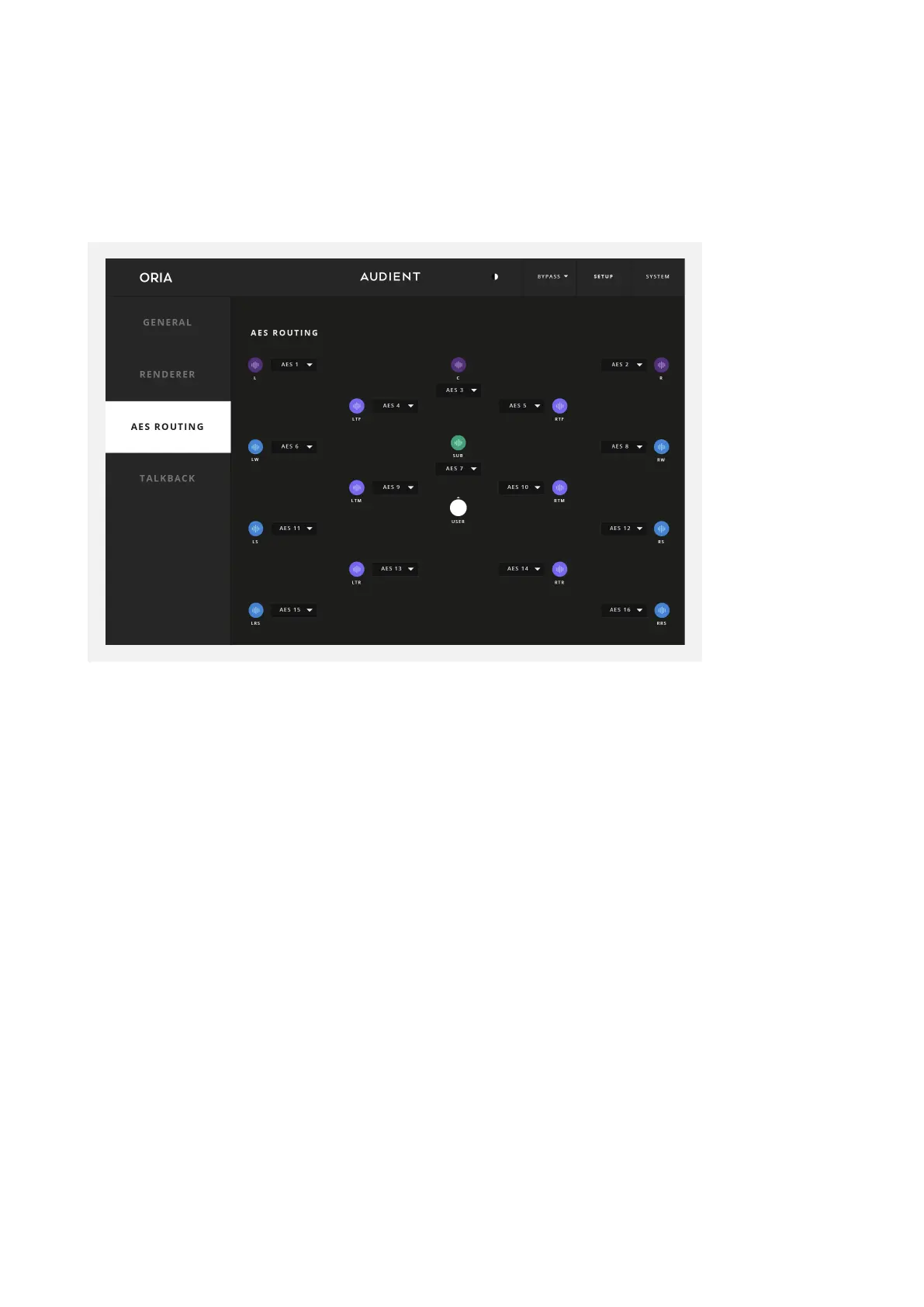
If using the AES outputs to feed your monitors, you may wish to re-assign the speaker
channels to make cable installation easier.
The AES Routing Page is where we can change the order of the AES Outputs, to make
cable routing in the studio easier. AES digital audio is provided in two-channel digital
streams over a single cable, and in a stereo setup it is expected by default to connect
one speaker to another in a chain. In an immersive setup, if we were to do this with left
and right pairs across 16 channels this could result in complex and untidy cable routing.
To alleviate this issue, we have implemented a solution in the ORIA hardware where
you can connect any speaker output to any AES channel, enabling much neater cable
routing than would otherwise be possible, where one AES stream can provide audio to
two adjacent speakers rather than using the default routing configuration.
For an example, it may be desirable to connect the Front Left and Left Wide speakers
together in a chain. To do this, we could designate AES 1 to be the Front Left speaker
and AES 2 to be the Left Wide Speaker, as each digital AES stream is provided as an
odd and even pair on a single cable.
AES Routing



 To Next Page