4
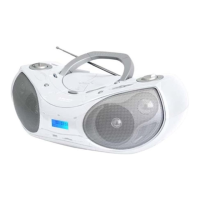
NAME OF CONTROLS
1. SPEAKERS
2. USB PORT
3. LCD DISPLAY FOR CD
4. SD/MMC CARD SLOT
5. AUX IN JACK
6. PHONES JACK
7. FUNCTION SWITCH
8. FM TELESCOPIC ANTENNA
9. CD COMPARTMENT
10. HANDLE
11. FM STEREO INDICATOR
12. BAND SELECTOR
13. PROG./P-MODE BUTTON
14. TUNING CONTROL
15. VOLUME CONTROL
16. EQ BUTTON
17. STANDBY INDICATOR
18. CD DOOR OPEN BUTTON
19. CD DOOR PUSH CLOSE AREA
20. CD STOP/USB BUTTON
21. CD PLAY/PAUSE/SD BUTTON
22. STANDBY BUTTON
23. CD/SEARCH DOWN BUTTON
24. +10 MP3/ALBUM BUTTON
25. CD/SEARCH UP BUTTON
26. BATTERY DOOR
27. AC SOCKET
USING THE RADIO
TUNING IN RADIO STATIONS
1. Slide the FUNCTION switch to "RADIO" position, press "STANDBY" button to turn on the
unit.
2. Slide the BAND switch to select the desired wave band: AM/FM ST.
3. Tune to required station by rotating the TUNING KNOB.
4. Rotate the VOLUME CONTROL to comfortable volume level.
5. Extend the TELESCOPIC ANTENNA to its full length if you are listening to FM broadcasting.
Gently rock the unit back and forth to get the best reception when you are listening to AM
program, or place the unit in an open place.
Note: The FM STEREO indicator will be on if you are receiving FM stereo program.
6. Turn off the radio, Set the FUNCTION switch to CD/MP3/USB/SD/AUX or OFF operation .
USING THE CD/MP3
Discs for Playback
This system can playback all digital audio CD, MP3 finalized digital audio CD-Recordable
(CD-R) discs, finalized digital audio CD-Rewritable (CD-RW) discs and CD-DA format digital
audio CD/CD-R/CD-RW discs.
PLAYING A CD
1. Set the FUNCTION switch to CD/MP3/USB/SD/AUX position, press "STANDBY" button to
turn on the unit.
2. Open the CD door. “ OPEN ” will be shown on the display.
3. Place an audio CD into the tray with the label side facing up.
4. Close the CD door, “ CD reading ” appears on the display. after several seconds,
The total number of tracks and whole playing times will show on the display. then the
playback starts from track 001, the play time starts from 00:00 and “PLAY” is shown on
the display.
5. To interrupt playback, press the PLAY/PAUSE/SD button. The “PAUSE” shown on the
display and the playing time will flash on the display.
6. To stop playing, press the STOP/USB button. The “STOP” and total tracks’ number and
whole playing times will be shown on the display.
7. To remove the CD, press to open CD compartment button, grasp the CD by its edges, and


 To Next Page