OWNER’S MANUAL
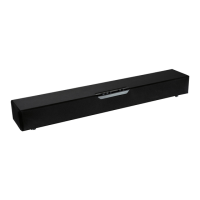
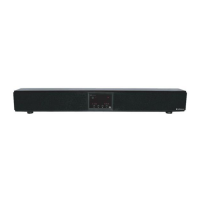
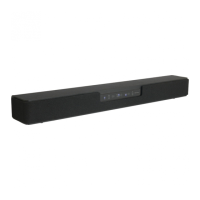
S325 High Definition Soundbar
Congratulations on your purchase of the AudioSource® S325 Soundbar-
the latest in high resolution Home Theater technology.
Please take a few moments to
read this entire manual, and be sure to
retain this document for future reference. Please read and observe all
safety instructions detailed below.
NOTE: if any part of this product is damaged or missing, please call your
dealer or AudioSource® directly at 1.877.715.5439.
Please
read your warranty and retain your receipt and original carton for
possible futu
re use.
For mo
re information about AudioSource® electronics, speakers and
accessories please visit ww
w.audiosource.net
AudioSource®
13970 SW 72nd Ave.
Portland, OR 97223
877.715.5439
ww
w.audiosource.net
S325 Owner’s Manual 8100.325A
FEATURES:
• 80 Watt Soundbar speaker system
• Powerful dual 3” woofers and full range 2.5” drivers for incredible home theater effects
• Efficient Ported subwoofer design deliver realistic bass impact
• Compatible with your TV, DVD, Cable/Satellite Box, or MP3 player, game console or computer
• Enjoy movies, music, and games
• Excellent choice for full range audio entertainment
• 2 Analog RCA inputs and 1 digital optical input (PCM 2-Channel)
• Includes wall mounting brackets for convenient placement options
• TO PREVENT FIRE OF SHOCK HAZARD, DO NOT USE THIS PLUG WITH AN EXTENSION CORD, RECEPTICLE OR OTHER OUTLET UNLESS THE
BLADES CAN BE FULLY INSERTED TO PREVENT BLADE EXPOSURE.
• TO PREVENT FIRE OR SHOCK HAZARD, DO NOT EXPOSE THIS APPLIANCE TO RAIN OR MOISTURE
• TO PREVENT ELECTRICAL SHOCK, MATCH WIDE BLADE PLUG TO WIDE SLOT, FULLY INSERT.
CAUTION
RISK OF ELECTRICAL SHOCK
DO NOT OPEN
CAUTION: TO REDUCE THE RISK OF ELECTRIC SHOCK, DO NOT REMOVE THE COVER. NO
USER SE
RVICABLE PARTS INSIDE. REFER SERVICING TO QUALIFIED PERSONNEL!
IMPORTANT SAFETY INSTRUCTIONS
1. Read these instructions.
2. Keep these instructions.
3. Heed all warnings.
4. Follow all instructions.
5. Do not use this apparatus near water.
6. Clean only with dry cloth.
7. Do not block any ventilation openings. Install in accordance with the
manufacturer’s instructions.
8. Do not install near heat sources such as radiators, heat registers, stoves,
or other apparatus (including amplifiers) that produce heat.
9. Do not defeat the safety purpose of the polarized or grounding type
plug. A polarized plug has two blades with one wider than the other. A
grounding type plug has two blades and a third grounding prong. The
wide blade or third prong are provided for your safety. If the provided plug
does
not fit into your outlet, consult an electrician for replacement of the
obsolete outlet.
10.
Protect the power cord from being walked on or pinched particularly at
the
plugs, convenience receptacles, and at the point where they exit from
the appliance.
11.
Only use attachments or accessories specified by the manufacturer.
12.
Unplug the apparatus during lightning storms or when unused for long
periods of time.
13.
Refer all servicing to qualified personnel. Servicing is required when the
apparatus
has been damaged in any way, such as power supply cord or
plug
is damaged, liquid has been spilled or objects have fallen into the
apparatus,
the apparatus has been exposed to rain or moisture, does not
operate normall
y, or has been dropped.
EXPLANATION OF
SAFETY SYMBOLS
The exclamation point within an equilateral triangle is intended to alert the user of the presence of important
operating and maintenance (servicing) instructions in the literature accompanying the appliance.
The
lightning flash with the arrowhead symbol within an equilateral triangle is intended to alert the user to the
presence of uninsulated “dangerous voltage” within the products’ enclosure that may be of sufficient magnitude
to constitute a risk of electric shock to persons.

 Need help?
 General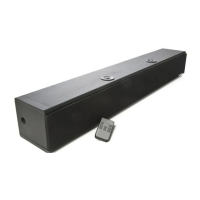

 To Next Page