EasyManua.ls Logo

Audizio VENICE - User Manual

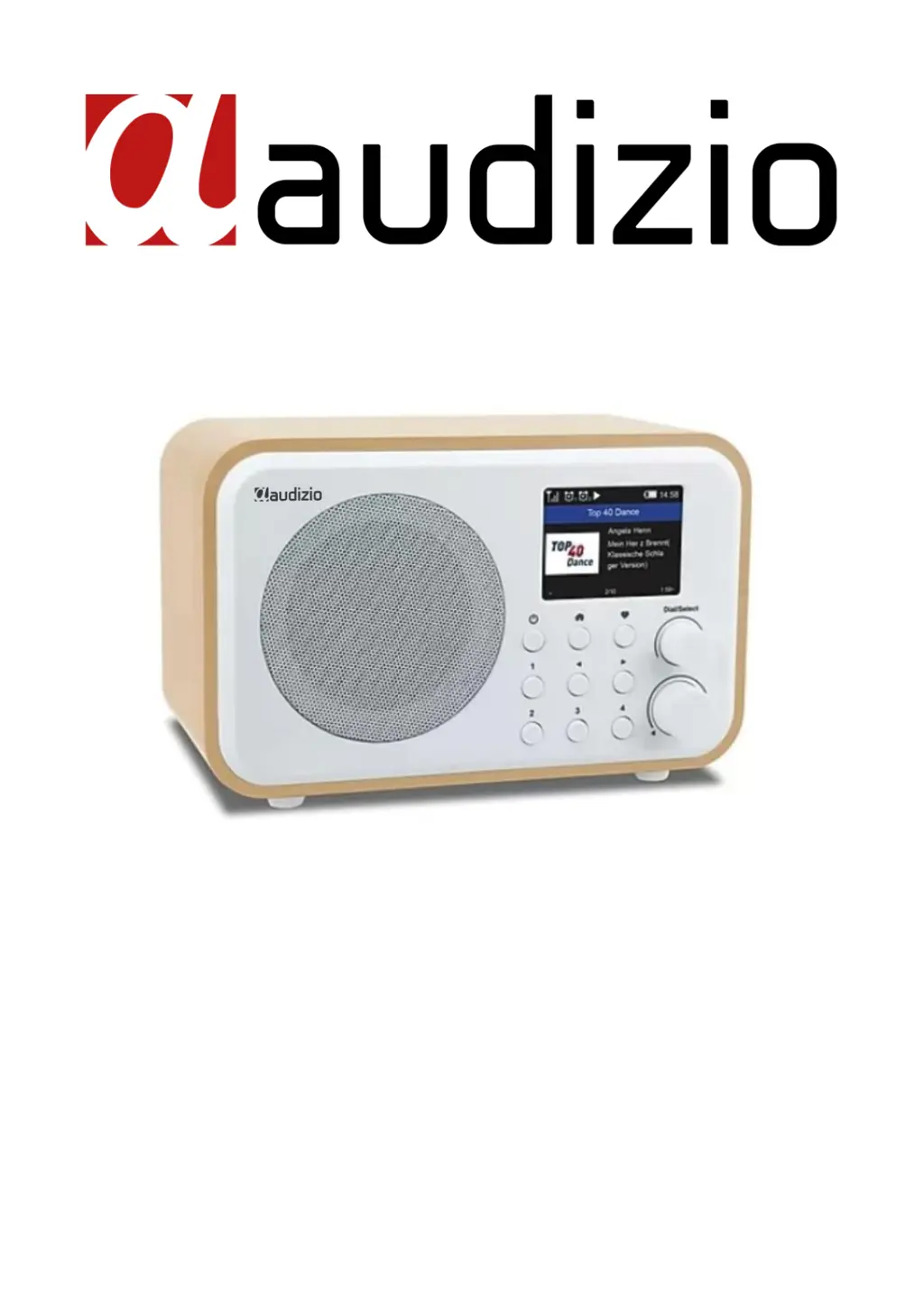
Audizio VENICE
68 pages
Print Icon
To Next Page IconTo Next Page
Loading...
VENICE WIFI RADIO / BT
Ref. nr.: 102.218 / 102.220 / 102.222
INSTRUCTION MANUAL
GEBRUIKSAANWIJZING
BEDIENUNGSANLEITUNG
MANUAL DE INSTRUCCIONES
MANUEL D'INSTRUCTIONS
V1.1

Table of Contents

Questions and Answers

Summary

Safety and Usage Guidelines

General Handling and Environment

Covers unit handling, placement, liquids, heat, moisture, children, cleaning, magnetic field, operating temp.

Electrical Safety and Power

Covers opening unit, mains lead, wet hands, earthing, thunderstorms, condensation, battery.

Repairs, Warranty, and Disposal

Covers damaged unit, repairs, warranty, disposal, CE certification.

Unpacking and Power Supply

Unpacking Instructions

Check contents, handle shipping damage, retain packing material for returns.

Power Supply Requirements

Connect to mains, check voltage, use protected circuits, ensure grounding.

Controls and Ports

Radio Unit Controls

Details the buttons and dial for operation and navigation.

Unit Ports and Indicators

Describes LED indicator, DC input, line out, and earphone jacks.

Remote Control Operation

Remote Control Button Functions

Details the purpose of each button on the provided remote control.

Alpha-numeric Input Method

Explains how to input characters and passwords using the remote keypad.

Initial Setup and Operation

Radio Unit Control Input

Describes using the Dial/Select knob for character input and selection.

Prerequisites for Use

Lists requirements like broadband internet and Wi-Fi password.

Powering On and Standby

Covers initial power-up, power-off, and standby mode functionality.

Battery and Network Setup

Battery Charging Procedure

Connect micro USB, check LED and screen icon for charging status.

Wi-Fi Network Connection

Connect to Wi-Fi via wizard, scan for APs, enter password.

Radio Functions and Internet Radio

Overview of Key Features

Lists My Favorite, Internet Radio, Media Centre, BT, Alarm, Sleep Timer, Configuration.

Internet Radio Station Access

Explains Skytune, Search, History, Local Radio, and filtering.

Internet Radio Station Management

Local Radio and Search Options

Setting local area, searching stations by characters, and viewing history.

Playback Information Display

Toggling between clock and detailed station information during playback.

Favorite Station Presets

How to preset favorite stations and recall them using buttons or menu.

Media and Bluetooth Operations

Media Centre Streaming Setup

Using UPnP/DLNA to stream music from network devices.

Bluetooth Pairing and Playback

Connecting a BT device and streaming audio.

Alarm Settings and Favorite List

Alarm Clock Configuration

Setting time, sound, and repeat options for alarms.

Managing Favorite Stations

Editing, moving, and deleting stations from the favorite list.

Alarm and Timer Settings

Alarm Duration and Snooze Function

Set alarm length and activate snooze feature.

Sleep Timer Setup

Configure radio to turn off after a set duration.

Network and Time Configuration

Wi-Fi Network Setup Options

Network options, Wi-Fi channels, adding/removing access points.

Time and Date Settings

Setting time zone, format, DST, and NTP.

SmartConfig Wi-Fi Setup

Wi-Fi Configuration Steps

Using the app to connect to Wi-Fi, entering network details.

Network Parameter Settings

Options for AP switching, Signal, IP, and DNS configuration.

Date, Time, and Time Zone Settings

Time Zone and Format Selection

Setting time zone, time format, date format, DST, and NTP.

Advanced Configuration Options

Time Synchronization and Language

NTP settings, NTP server, language selection.

Playback and Display Settings

Playback modes, dimmer, EQ, buffer time.

System Information and Reset

Viewing system info, software updates, and resetting to default.

Remote Control via PC;Smartphone

Skytune Web Interface

Using skytune.net to browse and search internet radio channels.

Managing Favorites via Web

Adding stations to favorites and listening via PC/smartphone.

Locating Radio IP Address

Finding the radio's IP address for web control.

My Favorite Channel Management

Editing Favorite Stations List

Options to edit, delete, reorder favorite channels.

Adding Custom Radio Channels

How to add channels using provided audio stream URLs and formats.

Troubleshooting Common Issues

Wi-Fi Connectivity Problems

Solutions for network down, MAC address restrictions, signal strength, encryption, firewall.

Sound and Responsiveness Issues

Troubleshooting no sound, radio freeze, or no response.

Helpful Tips for Internet Radio

Re-buffering and Connection Quality

Tips for intermittent connections and buffering issues.

Station Playback Problems

Reasons why some stations may not play (broadcasting, server load, links).

Technical Specifications

Product Details

Item number, colour, power supply, output, playback modes, dimensions, weight.

Compliance and Directives

Conformance to EU directives like LVD, EMC, RED, RoHS.

Audizio VENICE Specifications

General IconGeneral
Radio typeInternet
Tuner type-
RMS rated power30 W
Display typeTFT
Built-in displayYes
Display diagonal2.4 \
Wi-Fi standards802.11b, 802.11g, Wi-Fi 4 (802.11n)
Headphone connectivity3.5 mm
Number of built-in speakers1
Power sourceBattery
Battery capacity2000 mAh
Weight and Dimensions IconWeight and Dimensions
Depth186 mm
Width120 mm
Height115 mm
Weight890 g

Related product manuals