Need help?
Do you have a question about the Audizio ROME and is the answer not in the manual?
Ensure broadband internet, wireless router, and network passwords are ready before proceeding.
Connect the radio to the internet via Wired LAN (Ethernet) or Wireless LAN (Wi-Fi).
Automatic configuration for internet and UPnP sharing via Ethernet connection.
Wizard guides through Wi-Fi network selection and password entry for connection.
Instructions for pairing a Bluetooth device with the radio to stream music.
 General
| Radio type | Internet |
|---|---|
| Tuner type | Digital |
| Supported radio bands | DAB+, FM |
| RMS rated power | 50 W |
| Number of built-in speakers | 2 |
| Power source | AC |
| AC input voltage | 100-240 V |
| DC input voltage | 9 V |
| AC input frequency | 50-60 Hz |
| Display type | TFT |
| Display diagonal | 2.4 \ |
| Wi-Fi standards | 802.11b, 802.11g, Wi-Fi 4 (802.11n) |
| Headphone connectivity | 3.5 mm |
| Ethernet LAN (RJ-45) ports | 1 |
| MP3 playback | - |
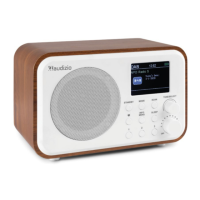
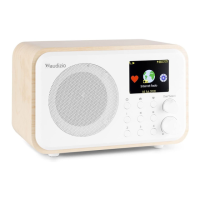
| Product color | White, Wood colour |
 Weight and Dimensions
| Depth | 300 mm |
|---|---|
| Width | 135 mm |
| Height | 120 mm |
| Weight | 2000 g |

 To Next Page