EasyManua.ls Logo

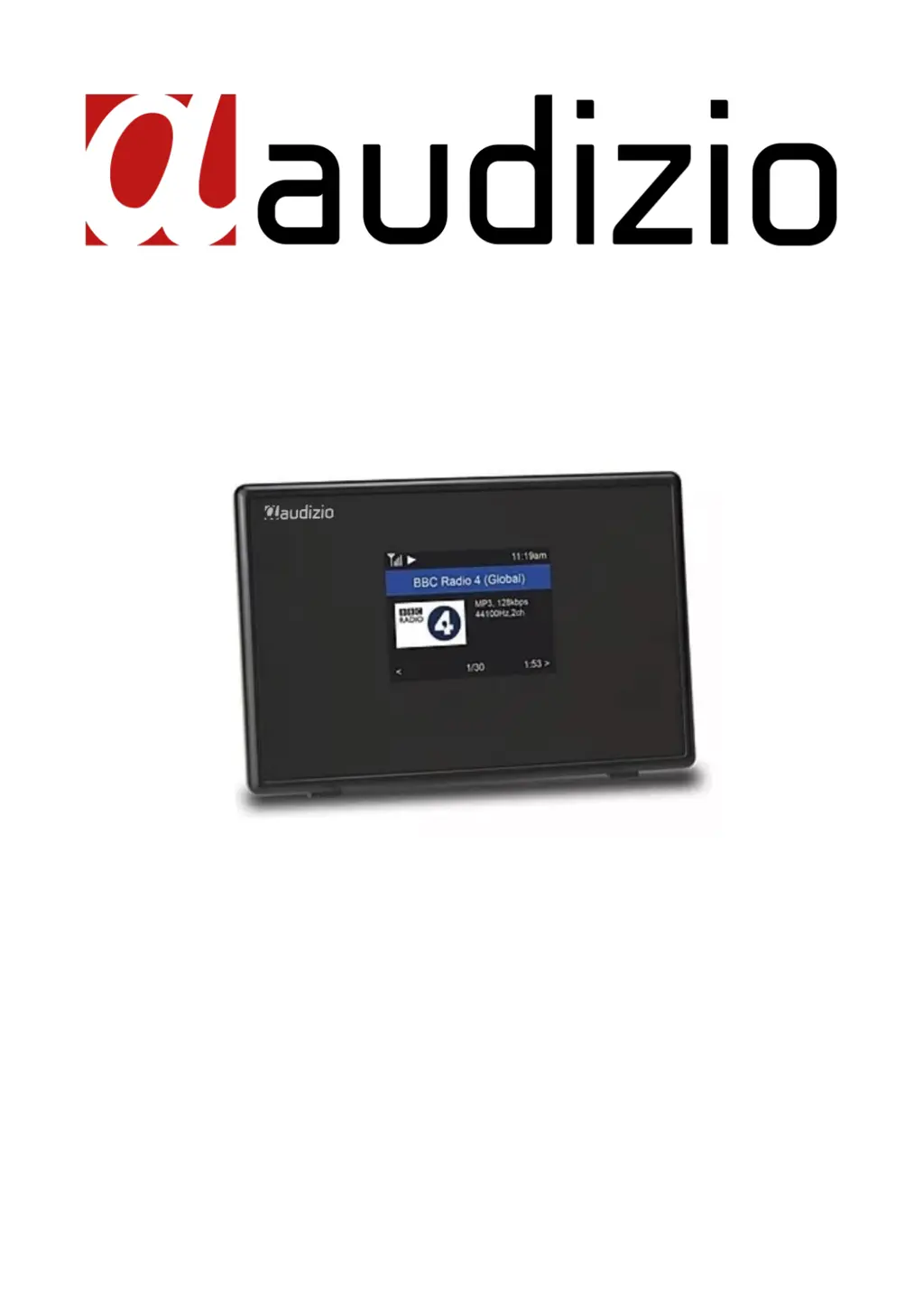
Audizio TURIN 102.237 - User Manual

Audizio TURIN 102.237
66 pages
Print Icon
To Next Page IconTo Next Page
Loading...
TURIN WIFI RADIO
Ref. nr.: 102.237
INSTRUCTION MANUAL
GEBRUIKSAANWIJZING
BEDIENUNGSANLEITUNG
MANUAL DE INSTRUCCIONES
MANUEL D'INSTRUCTIONS
V1.2

Table of Contents

Questions and Answers

Summary

General Safety Warnings

Electrical Shock Hazard

Warnings about high voltages inside the unit and avoiding opening the housing.

Fire and Moisture Hazard

Precautions against exposing the unit to rain, moisture, or heat sources.

Mains Lead Handling

Instructions for safe handling and checking the mains lead for damage.

Unit Operation Precautions

Advice on not opening the unit, avoiding liquids, and keeping away from heat.

Child Safety and Cleaning

Keep unit away from children; use dry cloth for cleaning, avoid chemicals.

Battery Handling and Disposal

Instructions for recharging and replacing the built-in rechargeable battery.

Environmental Conditions

Operate unit in rooms with temperatures between 5°C/41°F and 35°C/95°F.

Warranty and Modifications

Do not make changes to the unit; repairs must be by qualified technicians.

Unpacking and Power Supply

Product Unpacking

CAUTION! Immediately upon receiving the product, carefully unpack the carton, check the contents.

Temperature Fluctuation Handling

If device exposed to drastic temperature fluctuation, leave switched off until room temperature.

Power Supply Connection

Connect the indicated power supply type, check mains voltage, use protected circuit and ground.

Unit Controls Overview

TFT Color Screen

2.4" TFT color screen.

IR Sensor

Receives infra red signal from remote control.

Line Output Jack

3.5 mm jack to connect to external powered speaker / amplifier.

DC Input Jack

Connection for 5Volt / 1A power adapter.

Lan-Jack

10Mbps RJ45 connector for wired network.

Power Switch

Button to turn the unit on/off.

Remote Control Operation

Remote Control Buttons

Explains the function of each button on the remote control for operation.

Using the Alpha-Numeric Keypad

How to cycle through characters on the keypad to input text or passwords.

Before You Start

Internet Connection Requirements

Ensure broadband connection, Wi-Fi router, and WEP/WPA password are ready.

Network Connection Options

Radio supports Wireless (Wi-Fi) and wired (Ethernet RJ45) connections.

Startup Procedure

Initial Setup Procedure

Unpack, connect DC adapter, switch on power, and press remote power button.

Power Supply Caution

Use only the supplied adapter to avoid permanent damage and hazards.

Audio Output Note

Unit lacks internal amplifier; connect to external powered speakers via audio output.

Network Setup

Wired LAN Connection

Automatic configuration via DHCP for internet and UPnP sharing using Ethernet.

Wireless LAN (Wi-Fi) Setup

Wizard for network configuration, adding/removing APs, and password entry.

Wi-Fi Signal Indicator

Displays the Wi-Fi signal strength on the top left corner of the screen.

Overview of Features and Functions

Main Menu Navigation

Access main menu via [] button or knob, navigate with Tune/Select.

Core Features Explained

Covers My Favorite, Internet Radio, Media Centre, BT Playback, Alarm, Sleep Timer, Configuration.

Internet Radio Functions

Skytune Radio Discovery

Access global radio stations, filter by region, genre, or talks.

Local Radio Access

Access stations in your local area via internet connection through Local Radio.

Station Search Function

Filter stations by inputting characters of the desired station name.

Listening History

Memorizes up to 99 previously listened stations for quick access.

Displaying Radio Information

Press [] to view bitrate, artist, song name, clock, and station logo.

Managing Favorite Stations

View and manage a list of favorite stations.

Presetting Favorite Stations

Add a station to the Favorite list using the [] or [♥] button.

Media Centre Operations

UPnP;DLNA Music Streaming

Stream music from network servers (PC, NAS) supporting UPnP or DLNA.

Music Streaming Process

Select Media Centre, UPnP, scan for servers, select files, and playback.

Playlist Creation and Management

Add songs to a playlist or clear it via the Dial/Select knob or OK button.

Bluetooth Playback

Bluetooth Pairing Process

Couple BT device to radio for music streaming; connection restores automatically.

Selecting BT Mode

Use [/] button to select BT mode from the menu.

Initiating BT Playback

Select radio on BT device, start playback on BT device.

Alarm and Sleep Timer Settings

Setting Up Alarms

Choose Alarm 1 or 2, set time, sound, repeat, volume, and duration.

Stopping Active Alarms

Press the [] button to stop the alarm when it sounds.

Configuring Sleep Timer

Set timer for radio to turn off automatically after 15 to 180 minutes.

Configuration - Network Options

Network Options

Configure WLAN (Always on/Auto off) and select Wi-Fi Channels based on country.

Wi-Fi Channel Selection

Choose country to ensure satisfactory Wi-Fi performance by setting correct channels.

Configuration Settings

Wi-Fi Network Management

Add/Remove Wi-Fi routers, select AP, manage signal strength, IP, and DNS settings.

LAN Network Connection

Connect via Ethernet cable to router; automatic IP assignment via DHCP.

Date and Time Configuration

Automatic internet time sync, manual time zone, time format, and DST settings.

NTP Synchronization Setup

Synchronize radio clock with time servers for accuracy.

Language Selection

Choose preferred language from a list of available options.

Local Radio Region Setup

Manually set the local radio region for station detection.

Playback Mode Selection

Set playback modes: Repeat All, Repeat Once, or Shuffle.

Advanced Settings and Options

Resume Play Options

Set radio to resume last played station or stay on home screen after power on.

Power-On Behavior Options

Define radio's state after power reset or cut (Standby or resume previous state).

Display Brightness Control (Dimmer)

Adjust backlight level for normal mode, dim mode, and standby mode.

Equalizer (EQ) Settings

Select different music genres for audio equalization.

Buffer Time Adjustment

Increase buffer time to improve playback stability with slow connections.

System Information Access

View network status, IP address, and system details.

Reset to Default Settings

Restore factory default settings, erasing all presets and configurations.

Remote Control via PC; Smart Phone

Web Browser Control Overview

Control tuning and manage favorites via PC/smartphone web browser (e.g., skytune.net).

Locating Radio IP Address

Find the radio's IP address via Info menu or Configuration settings.

Remote Control via PC; Smart Phone (Continued)

Adding and Listening to Stations

Add favorite stations or listen directly using the IP address.

Managing Online Favorites

View, edit, and manage favorite stations via the web interface.

Adding Custom Radio Channels

Add new radio channels by providing stream URL and format details.

Helpful Tips for Usage

Internet Radio Re-buffering

Check broadband connection for errors or intermittent issues causing pauses.

Understanding Buffering Issues

How buffering fills gaps and causes of interference during playback.

Station Playback Troubleshooting

Reasons why some stations may not play (broadcasting issues, listener limits, link validity).

Troubleshooting Guide

Wi-Fi Connection Issues

Solutions for network down, MAC restrictions, signal strength, encryption, and firewall.

Station Playback Problems

Tips for when the radio connects but specific stations fail to play.

No Sound Troubleshooting

Check playback status, volume, and external speaker connections.

Technical Specifications

Power Supply and Playback Capabilities

Specifies power input (100-240VAC) and playback capabilities (BT, Wifi, Ethernet).

Physical Dimensions and Weight

Details the unit's dimensions (136 x 39 x 92mm) and weight (0.25kg).

Compliance with European Directives

Lists conformity to European Community Directives (LVD, EMC, RED, RoHS).

Audizio TURIN 102.237 Specifications

General IconGeneral
BrandAudizio
ModelTURIN 102.237
CategoryRadio
LanguageEnglish

Related product manuals