EasyManua.ls Logo

Audizio ROME WIFI DAB+ - User Manual

Audizio ROME WIFI DAB+
80 pages
Print Icon
To Next Page IconTo Next Page
Loading...
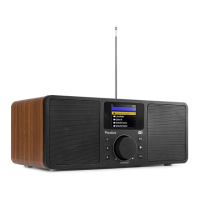
ROME WIFI DAB+ RADIO
Ref. nr.: 102.226 / 102.228 / 102.230
INSTRUCTION MANUAL
GEBRUIKSAANWIJZING
BEDIENUNGSANLEITUNG
MANUAL DE INSTRUCCIONES
MANUEL D'INSTRUCTIONS
V1.1

Table of Contents

Questions and Answers

Summary

General Safety Precautions

Handling and Electrical Safety

Guidelines for safe handling, avoiding liquids, and mains lead safety to prevent shock and malfunction.

Environmental and Usage Guidelines

Instructions on operating environment, temperature, moisture, keeping away from children, and cleaning.

Unpacking and Power Supply

Unpacking Instructions

Check contents upon receipt, retain packing material for potential returns or inspections.

Power Supply Connection

Connect to the correct voltage, use a protected circuit, and ensure proper electrical ground.

Controls Overview

Radio Unit Controls

Description of buttons and the dial/select knob on the radio unit for operation.

Remote Control Operation

Remote Control Functions

Explanation of buttons and symbols on the infrared remote control.

Using the Remote Control

Instructions on how to input characters and characters assigned to buttons.

Using Radio Unit Control

How to use the Dial/Select knob for character input and confirmation.

Getting Started

Before You Start

Prerequisites for network setup: broadband, router, and Wi-Fi password knowledge.

Initial Setup

Steps for unpacking, connecting power, and turning on the radio for the first time.

Network Setup

Wired LAN and Wi-Fi Connection

Connecting the radio via Ethernet or configuring wireless LAN (Wi-Fi) setup.

Wi-Fi Setup Options

Using the wizard, Add/Remove AP, WPS button, or SmartConfig app for Wi-Fi connection.

Radio Features Overview

Internet Radio, Media Centre, DAB+, FM Radio

Overview of main radio functions: Internet radio, media streaming, digital and analog radio.

Bluetooth, Alarm, Sleep Timer, Configuration

Overview of additional features: Bluetooth playback, alarm clock, sleep timer, and settings.

Internet Radio Operations

Skytune, Local Radio, Search, History

Browsing stations by region/genre (Skytune), local access, searching by characters, and history.

Playing Radio and Managing Favorites

Displaying station info, adding stations to favorites, and recalling preset stations.

Favorite List Management

Recalling and Editing Stations

Accessing preset stations and editing favorite lists by moving or deleting entries.

Media Centre and DAB+ Radio

UPnP;DLNA Streaming and Playlists

Streaming music from network devices and creating custom playlists.

DAB+ Station Tuning

Scanning for and receiving DAB+ and DAB radio stations.

DAB+ and FM Radio Operations

Selecting and Favoriting DAB Channels

Listening to DAB stations and adding them to the favorite list.

FM Radio Tuning and Favorites

Scanning for FM stations, listening to them, and adding to the favorite list.

Manual FM Tuning

Fine-tuning the FM frequency manually for better reception.

Bluetooth, Aux Input, and Alarm

BT Playback and Aux Connection

Pairing Bluetooth devices and connecting external audio sources via the aux-in jack.

Alarm Setting and Management

Configuring alarm time, sound, repeat, volume, duration, and managing active alarms.

Sleep Timer Setting

Configuring Auto Turn-Off

Setting a timer for the radio to automatically turn off after a selected period.

Configuration Menu

Network Options

Setting WLAN function to always on or auto off to save energy.

Wi-Fi Channel Selection

Choosing Wi-Fi channels based on country requirements for satisfactory performance.

Add;Remove Wi-Fi Access Points

Scanning for routers, connecting via WPS, or adding APs using SmartConfig.

SmartConfig Wireless Setup

Using a smartphone app to configure Wi-Fi connection via SmartConfig.

Network Configuration Details

AP, Signal, IP, DNS Settings

Selecting access points, checking signal strength, and configuring IP/DNS.

Date, Time, and Language Settings

Time Zone, Format, NTP Sync

Setting time zone, time/date format, and synchronizing time using NTP.

Selecting Interface Language

Choosing the preferred language for the radio's interface.

Radio Settings and Management

Local Radio and Playback Setup

Setting local radio region and playback modes for streaming.

Display, EQ, Buffer Time Settings

Adjusting display brightness, equalizer, and buffer time for playback.

Information, Updates, and Reset

Viewing info, checking for software updates, and resetting to default settings.

Remote Control via PC;Smart Phone

Web Browser Control (Skytune)

Controlling radio functions and tuning stations via a web browser.

Managing Favorites Online

Adding and managing favorite stations through the online interface.

My Favourite List and Helpful Tips

Adding URLs and Buffering Issues

Manually adding radio channels via URL and troubleshooting internet radio re-buffering.

Station Playback Troubleshooting

Identifying common reasons why certain radio stations may not play correctly.

Troubleshooting Guide

Wi-Fi Connection Issues

Solutions for network connection problems: network down, MAC filtering, signal, encryption, firewall.

Station Playback and Sound Issues

Resolving issues with stations not playing or no sound output.

Radio Freezing and Resetting

Troubleshooting radio freezing or unresponsiveness, including how to perform a reset.

Technical Specifications

Product Details

Key specifications including item number, colour, power supply, output, dimensions, and weight.

Compliance and Directives

Conformity to European Community Directives like EMC, LVD, RED, and RoHS.

Audizio ROME WIFI DAB+ Specifications

General IconGeneral
DisplayLCD
PresetsYes
Alarm FunctionYes
Remote ControlYes
Tuner TypeDAB+/FM
ConnectivityWi-Fi, Bluetooth
Power SupplyAC adapter

Related product manuals