Need help?
Do you have a question about the Audizio ADRIA and is the answer not in the manual?
Instructions for unpacking the device and connecting the power supply.
Prerequisites and steps before operating the device for the first time.
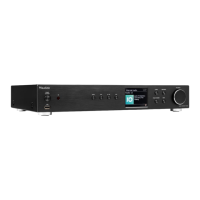
Overview of buttons and display on the front of the Audizio Adria unit.
Details of input and output connectors on the rear of the device.
Explanation of buttons and features on the infrared remote control.
Controls for playback, volume, and track skipping applicable to all modes.
How to navigate through menus and select options using the main control.
Guided setup for date/time and network configuration.
Procedure for entering Wi-Fi network passwords.
Steps to pair a Bluetooth device for audio streaming.
Accessing stations via list, search, location, popular, and discover options.
Using your phone or tablet as a remote control for Spotify.
Tuning into DAB and FM stations, including seek and manual tuning.
Store and recall up to 30 radio presets for quick access.
Play music from USB, manage playback, and charge devices.
Use the 3.5mm aux-out jack to connect external audio devices.
Set alarms, snooze, and program sleep mode for automatic standby.
Configure equalizer, bass/treble, and manage time/date settings.
Adjust time zone, daylight saving, language, and backlight.
Reset the device to factory default settings.
Details playback options, connections, power, dimensions, and weight.
Information on European Union and UK directives conformity.

 To Next Page
 General