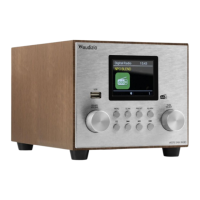
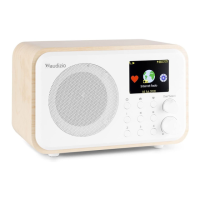
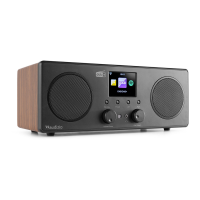
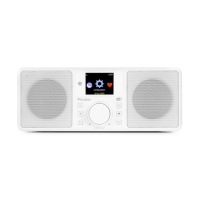
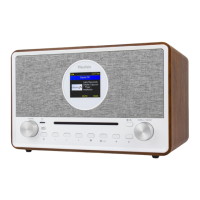
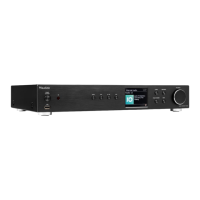
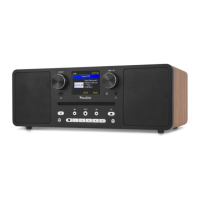
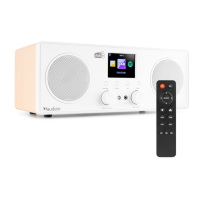
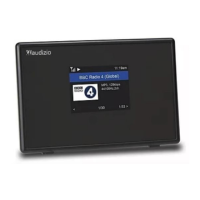
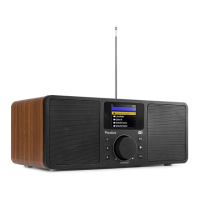
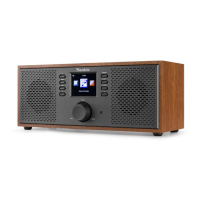
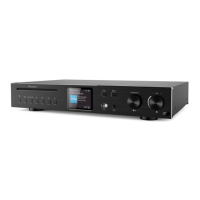
The Audizio Vicenza is a versatile WiFi radio, DAB+ tuner, and Bluetooth 5.0 streaming device, available in white, black, and wood finishes (reference numbers 102.450, 102.452, and 102.454 respectively). It features a 2.4" TFT color screen for clear display of information and controls. The device is powered by a built-in 3.7V - 2Ah lithium battery and can be charged via a 5V USB input. It has a compact dimension of 186 x 120 x 115mm and weighs 0.89kg, making it a portable audio solution.
Function Description:
The Audizio Vicenza offers multiple playback options:
- Internet Radio: Access thousands of radio stations worldwide, filtered by region, genre, or talk. It also provides quick access to local radio stations via an internet connection. Users can search for specific stations or browse through a history of up to 99 previously listened stations.
- DAB+ Radio: If Digital Audio Broadcasting (DAB) is available in the user's area, the radio can pick up DAB and DAB+ stations without an internet connection. Optimal reception is achieved by placing the radio near a window and extending the antenna.
- FM Radio: For traditional FM stations, the device functions as a standard FM radio. Similar to DAB+, good reception is achieved by positioning the radio near a window and extending the antenna. Manual tuning is also available.
- Media Centre: This feature allows users to browse and stream music from their network via UPnP or DLNA compatible devices. It supports creating and clearing custom playlists from UPnP music files.
- BT Playback (Bluetooth 5.0): The radio acts as a receiver, allowing audio streaming from other Bluetooth-enabled devices after pairing. The Bluetooth 5.0 standard ensures a stable and efficient wireless connection.
Beyond audio playback, the Vicenza includes several utility functions:
- Alarm Clock: Two independent alarms can be set, functioning when the radio is connected to power and in standby mode. Alarm settings include time, sound source (Wake to Tone, My Favourite), repeat schedule (Everyday, Once, multiple days), volume, and duration (30 to 180 minutes). A snooze function is also available.
- Timer: A kitchen timer function allows countdowns up to 99 hours, 59 minutes, 59 seconds, ending with an adjustable beeping sound.
- Sleep Timer: Users can set the radio to turn off automatically after a selected period, ranging from 15 to 180 minutes.
- Configuration: A comprehensive menu provides options to personalize various settings, including network setup, date and time, clock style (digital or analog), language, dimmer settings, equalizer, and buffer time for internet radio.
Important Technical Specifications:
- Reference Numbers: 102.450 (White), 102.452 (Black), 102.454 (Wood).
- Display: 2.4" TFT color screen.
- Connectivity: WiFi (Wireless B, G, N), Bluetooth 5.0, DAB+, FM.
- Audio Output: 3.5mm jack (line output and earphone jack).
- Output Power: 30W.
- Battery: 3.7V - 2Ah Lithium battery.
- Power Supply: 5V via USB (minimum 1A).
- Dimensions: 186 x 120 x 115mm.
- Weight: 0.89kg.
- Supported Browsers for Remote Control: Internet Explorer, Chrome.
- Supported Audio Formats (Media Centre): MP3, AAC, AAC+.
- Supported Stream Formats (Media Centre): Shoutcast, Icecast (HTTP, HTTPS), HLS.
- Supported Playlist Formats (Media Centre): PLS, M3U.
- Sampling Frequency (Media Centre): 44.1 KHz and 48 KHz.
Usage Features:
- Power On/Off/Standby: Press and hold the power button on the radio unit to power on/off. A short press puts the radio into standby or wakes it up. The remote control can put the radio into standby or wake it up, but cannot power it on from a completely off state.
- Navigation: The Dial/Select knob on the radio unit and the cursor buttons on the remote control are used to scroll through menus and confirm selections.
- Presets: Up to 99 favorite stations can be saved. Four dedicated preset buttons (1-4) on the radio unit allow quick access to specific favorite stations. Presets can be managed and organized into custom categories via the My Favorite menu or remotely via a PC/smartphone web interface.
- Remote Control: A dedicated remote control provides full functionality, including power, mute, numeric input for station selection or Wi-Fi passwords, cursor navigation, alarm, sleep timer, mode switching, equalizer, and display dimmer.
- Remote Control via PC/Smartphone: By entering the radio's IP address into a web browser (www.skytune.net), users can manage their favorite stations, add new channels, and control playback. This feature requires the PC/smartphone to be on the same Wi-Fi network as the radio.
- Network Setup: The radio guides users through a network setup wizard on first use. It supports WEP, WPA, and WPA2 encryption methods. Users can scan for available Wi-Fi networks, add new networks, remove existing ones, and view network information like signal strength and IP address.
- Clock Synchronization: The radio automatically sets the local time after connecting to the internet. NTP (Network Time Protocol) can be used for highly accurate clock synchronization. Manual date and time settings are also available.
- Dimmer: The display backlight level can be adjusted for both normal operation and standby mode. In power-saving mode, the display dims after 20 seconds of inactivity.
Maintenance Features:
- Battery Charging: The battery indicator on the screen shows the remaining power level. When low, the indicator blinks as a reminder to charge. The USB-C port on the rear is used for charging, with a red LED indicating charging and a green LED indicating a full charge. The charging icon appears on the screen during charging.
- Software Update: The device supports software updates to enhance functionality. Users are advised to regularly check for and install the latest software.
- Factory Reset: A factory reset option is available to clear all settings and return the radio to its default configuration. This will erase all presets, settings, and configurations.
- Troubleshooting: The manual provides a comprehensive troubleshooting guide for common issues such as Wi-Fi connection problems, inability to play certain stations, no sound, or device freezes. Solutions include checking network status, router settings, signal strength, encryption methods, and performing a device reset.
- Helpful Tips: The manual offers advice on buffering issues for internet radio, explaining what buffering is and how to address it, as well as reasons why some stations might not play (e.g., station not broadcasting, server capacity limits, invalid links, or unstable internet connection).
The Audizio Vicenza is designed for indoor use within a temperature range of 5°C/41°F and 35°C/95°F. It conforms to European Community Directives and is marked with the CE symbol. Users are advised against self-repair to avoid voiding the warranty.

 Need help?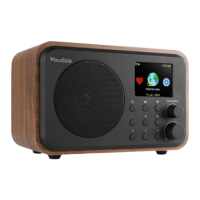

 To Next Page
 General