-20-
-21-
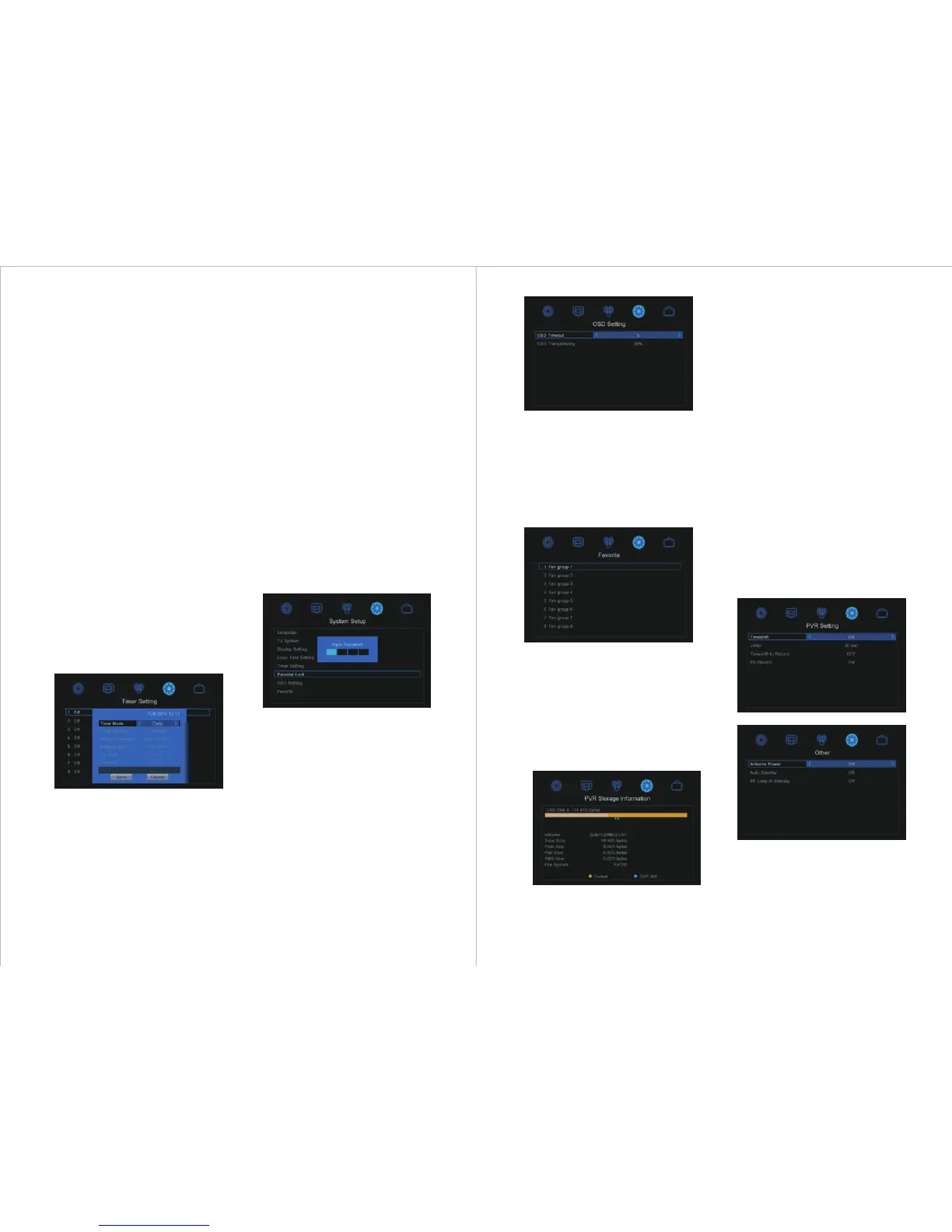
To lock the menu system, highlight Menu
Lock and press <◄> or <►> to select Off /
On.
To set the age rating for the system, highlight
Rating Lock and press <◄> or <►> to
select between Off / AGE 10 / AGE 12 /
AGE 14 / AGE 16 / AGE 18.
To set a new password, highlight New
Password and using the number keys on the
remote enter a new four digit password. On
the fourth digit the Confirm Password
becomes highlighted. Type the four digit
password again and a pop up window will
confirm the password changed successfully
if correct. Press <OK> to return to the
System Setup menu.
5.8.4.7 OSD Setting
OSD Setting allows the user to change the
timeout and transparency of on screen
displays. OSD timeout can be set between 1
and 10 seconds by pressing <◄> or <►> or
pressing <OK> and selecting the value from
the drop down menu.
OSD Transparency can be set between Off
and 40% in 10% increments by pressing
<◄> or <►> or pressing <OK> and
selecting the value from the drop down menu.
5.8.4.8 Favourite
Favourite allows the user to Rename the
names of the Favourite Group. Highlight a
group name and press <OK> to print up a
window to allow editing. When completed
press <BLUE> OK, or <EXIT> to quit
without saving any changes.
5.8.4.9 PVR Storage Information
This option is only available when a USB
memory device is plugged in. It displays
information about the USB memory device,
allows formatting of the USB memory device,
and sets the allowed DVR modes between
Record / Timeshift / REC&TMS (Record
and Timeshift).
5.8.4.10 PVR Setting
This option is only available when a USB
memory device is plugged in.
To enable time shift, highlight the
“Timeshift” option and press <◄> or
<►> to set “On” or “Off”.
The “Jump” setting is used to set the
amount of time that is jumped during time
shift playback when the <|◄◄> or <►►|>
keys are pressed.
“Timeshift to Record” is used to control
whether the time shift part is added to a
recording when the <REC> record key is
pressed to record a live program. Setting to
“Off” will record from the current time and
setting to “On” will add the time shift part
to the recording.
“PS Record” is used to record in PS or TS
mode.
5.8.4.11 Other
5.8.4.11.1 Antenna Power
The device can output 5V power from the
coaxial antenna socket, press <◄> or
<►> to select Antenna Power ON if your
external antenna has an amplifier that takes
5V input via its coaxial plug. Warning: Do
5.8.4.5 Timer Setting
Timer Setting allows the user to edit up to
eight timed viewing and recording events.
Highlight the timer to set and press <OK>.
In the setting screen press <◄> or <►> to
select Timer Mode Off / Once / Daily, and
Timer Service Record/Channel.
Select the Wakeup Channel either by
pressing <◄> or <►>, or press <OK> and
select the channel from the drop down
menu, and press <OK>.
Set the Wakeup Date, Time and Duration of
the recording or viewing by using the
number buttons on the remote control.
PS Record is used to change between saving
in ts and mpg file formats by selecting No /
Yes. Use “No” for .ts and “Yes” for .mpg
format.
5.8.4.6 Parental Lock
Parental Lock allows the user to password
protect the menu system, apply an age rating
to the system, and set a new password. When
entering the Parental Lock menu a password
is required. The default system password is
“0000”.


 To Next Page