35
DIAGNOSTIC MODE 4.3
This mode is used to mainly diagnose the control module and its configurations.
To Enter Diagnostic Mode press stop and close key together for approximately 6 seconds when the
actuator is the off mode as shown below.
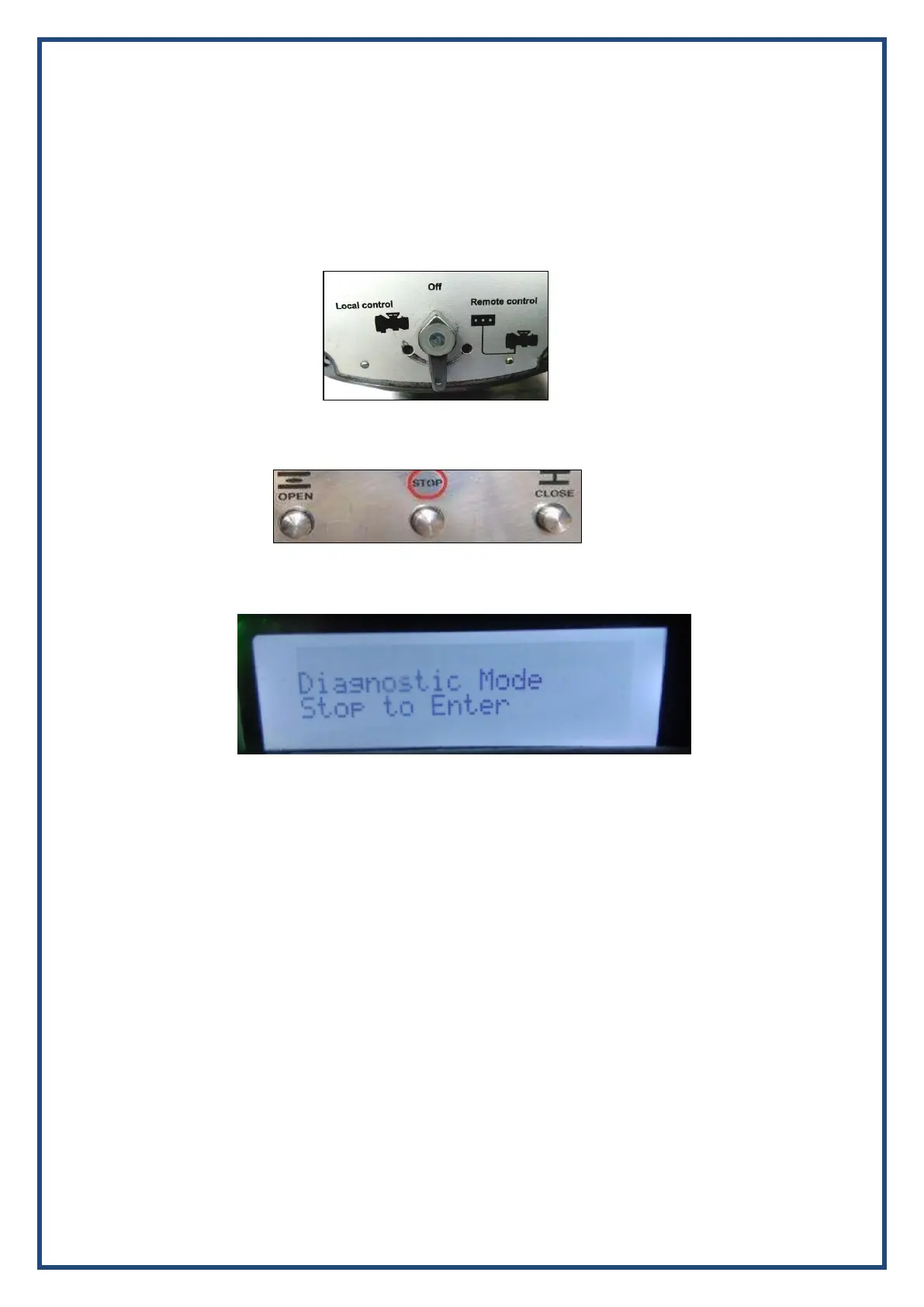
Step 1: Keep the selector switch in OFF position
Step 2: Press Close + Stop keys (together) approximately 6 seconds
Step 3: Press the STOP key on the display of “Diagnostic Mode” as shown below.
From Diagnostic mode you can get the following values: The software version installed, the raw RTC
and POT values etc. can be checked here. One can give commands and check if these values
increase/decrease accordingly. The RTC reading can be verified and checked if it is correct. The IN-
PHASE, OUT-PHASE and LOSS OF PHASE detection can be verified. A factory reset to set the system
into default settings according to the customer specifications can be carried out. Besides this, this
module has a Factory settings option that only under the scope of Auma India Employees that has
several software configurable options.


 To Next Page