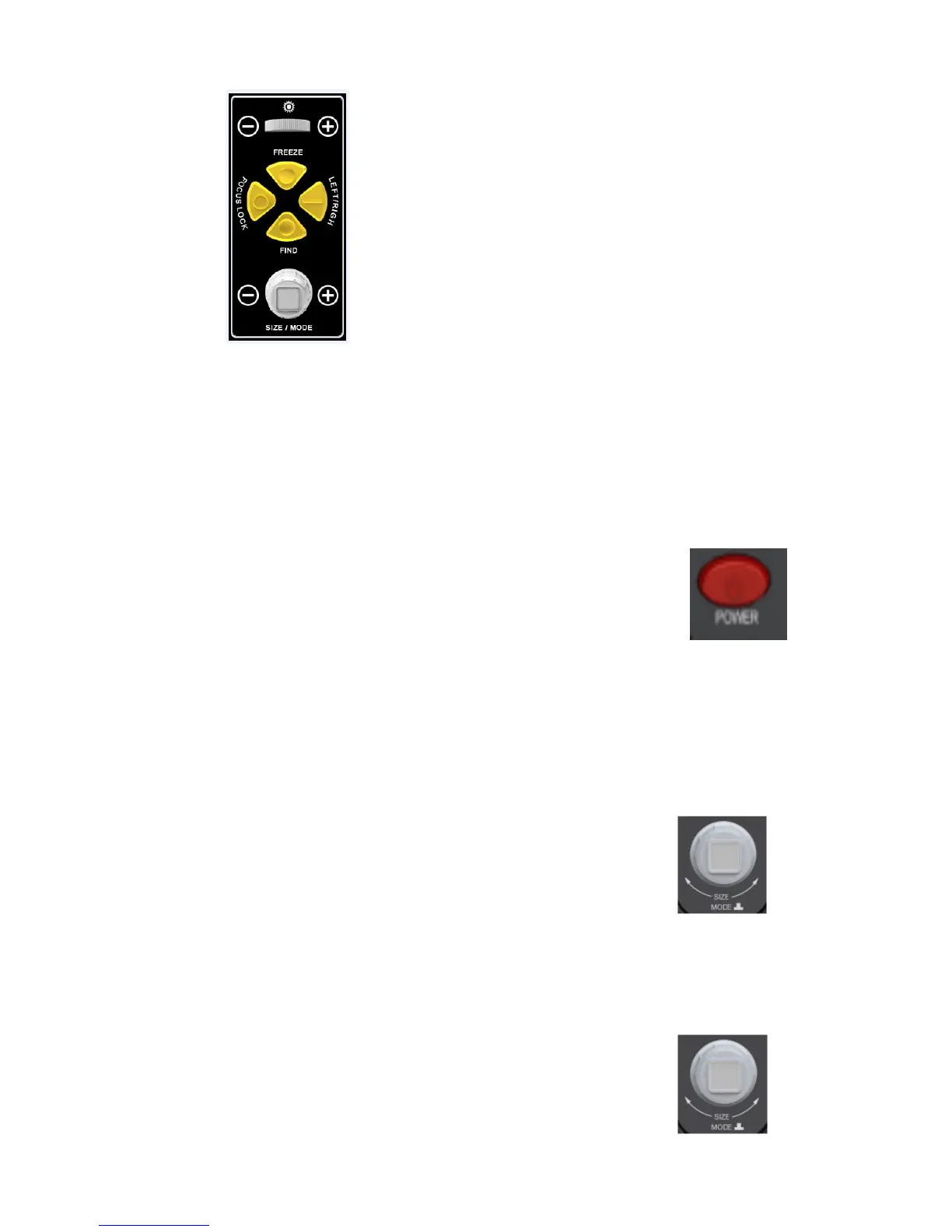
5. How to Use
1) Power On/Off
The "Power" button is shown in the figure on the right. Press the “Power”
button to start the machine. The indicator light on the “Power” button will
turn on and the auxiliary illuminating LED lamp will also be on. After you
are finished using AUMAX-S, press the "Power" button to shutdown. The button of the
indicator light will turn off after shutdown is complete.
2) Magnification Adjustment
The “Size” knob is shown in the figure to the right. Magnification
adjustment can be appreciated when rotating the knob. Rotate the knob
clockwise to enlarge the image size. Rotate the knob counter-clockwise
to reduce the image size.
3) Mode Toggle
The “Mode” button is shown in the figure on the right. Press the button
continuously to view the different modes. Aumax-S can display 8
different modes successively. The display modes are, respectively:


 To Next Page