32
EN
AUNA Wireless
Experiencing any problems? Give us your feedback>>
Please make sure your device is powered
up. Your phone is connected to XXXX,
please make sure your device is connected
to the same network.
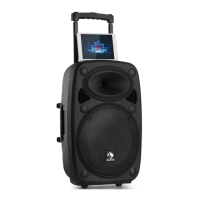
4. Read the instructions on screen
and tap "Next" to continue.
guide for more info.
Make sure your phone is
connected to 2.4G Wi-Fi,
not 5G.
YOUR WIRELESS-2.4G
YOUR WIRELESS-5G
Not sure what you're currently
using? Refer to your router's user
Next
WIFI INFO
<
1
Please enter Wi-Fi password:
Next
Password:
Please enter Wi-Fi password
Wi-Fi:
XXXX
guide for more info.
Make sure your phone is
connected to 2.4G Wi-Fi,
not 5G.
YOUR WIRELESS-2.4G
YOUR WIRELESS-5G
Not sure what you're currently
using? Refer to your router's user
Next
WIFI INFO
<
1
Please enter Wi-Fi password:
Next
Password:
Please enter Wi-Fi password
Wi-Fi:
XXXX
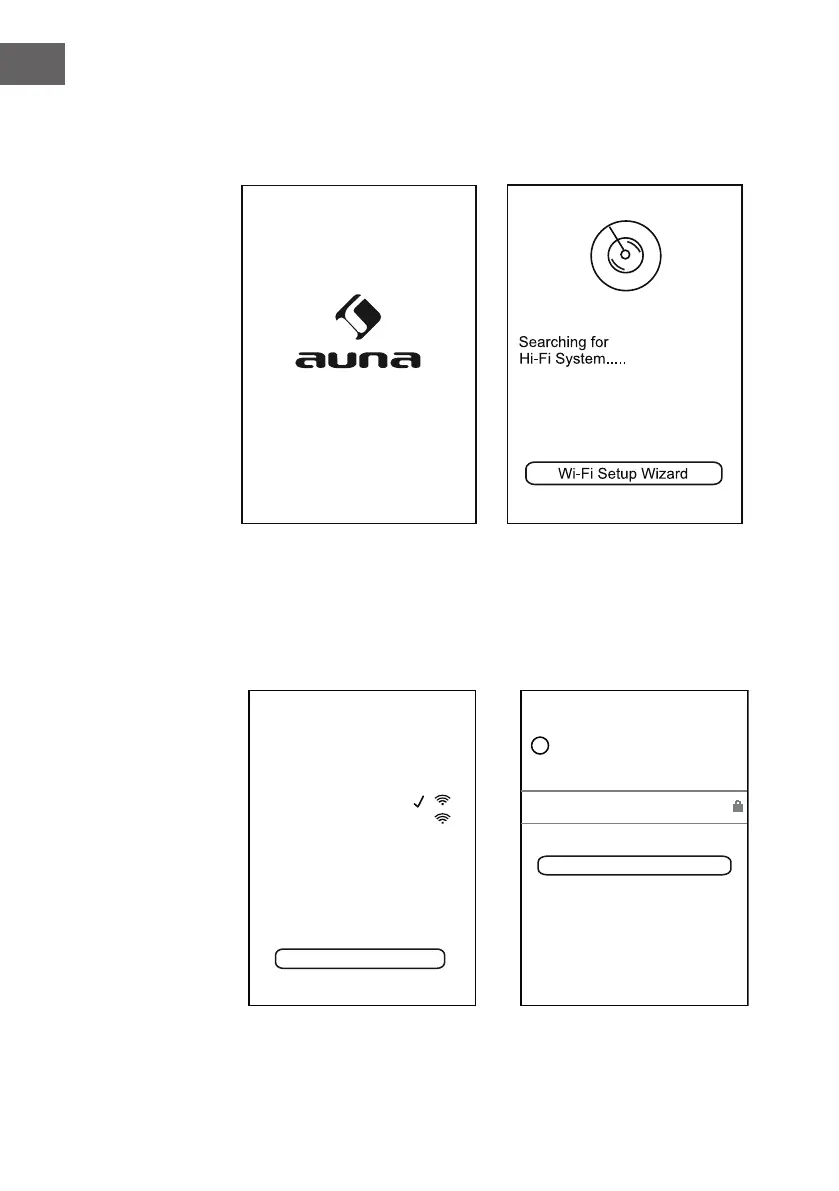
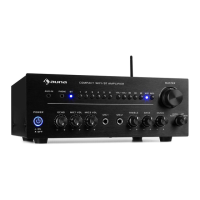
3. Tap the App icon and the following picture will appear. Read the screen
instructions and tap the "Wi-Fi Setup Wizard" to continue.
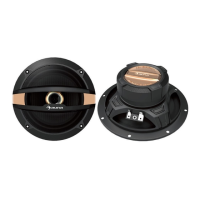
5. Tap the Password column to
input the password to make
the speaker to connect to Wi-Fi
network(router), tap "Next" to
continue.


 To Next Page