19 US-EN
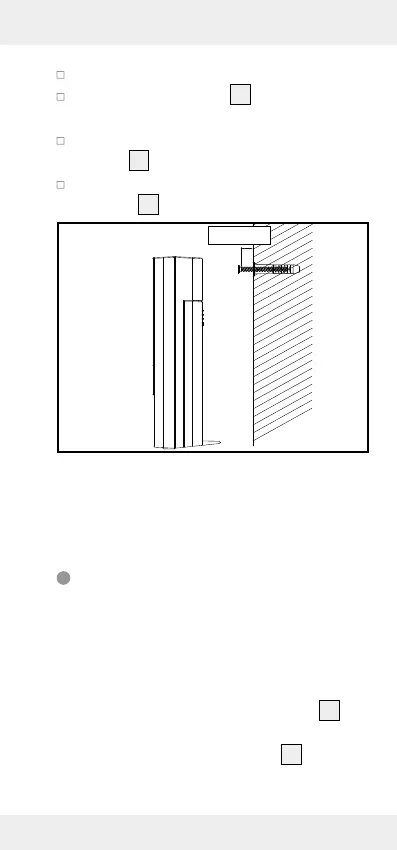
Drill the hole with an electric drill.
Push the wall anchor
33
into the drilled
hole.
Using a crosshead screwdriver, screw the
screw
32
into the wall anchor.
Hang the outdoor sensor by placing the
hanger
30
on the screw.
0.3 in/8 mm
Note: Never immerse the outdoor sensor in
water and protect from direct sunlight. Elec-
tronic devices may adversely affect the
wireless signal reception.
Setting the language / time
zone / time / date manually
The reception of WWVB radio signal where
the temperature station has been positioned
may become poor or interrupted. If this hap-
pens you can set the product manually.
1. Press and hold the CLOCK button
19
for
about 3 seconds.
2. Press the SET / RESET button
24
to switch
between 12- and 24-hour clock mode.






 To Next Page