Fixture DMX addressing
All fixtures should be given a DMX starting address when using a DMX controller, so the correct fixture
responds to the correct control signal. This digital starting address is the channel number from which the
fixture starts to “listen” to the digital control information sent out from the DMX controller. The allocation of
this starting DMX address is achieved by setting the correct DMX address on the digital display located on
the back of the fixture.
You can set the same starting address for all fixtures or a group of fixtures, or set different address for each
individual fixture. Be advised that setting all you fixtures to the same DMX address will subsequently control
all fixtures in the same fashion, in other words, changing the settings of one channel will affect all the fixtures
simultaneously. If you set each fixture to a different DMX address, each unit will start to “listen” to the
channel number you have set, based on the quantity of control channels (DMX channels) of
each fixture. That means changing the settings of one channel will only affect the selected fixture.
AURORAE LED PAR LP-10, is a six channel fixture, you should set the starting DMX address of the first
unit to 1, the second unit to 7 (6 + 1), the third unit to 13 (6 + 7), and so on.
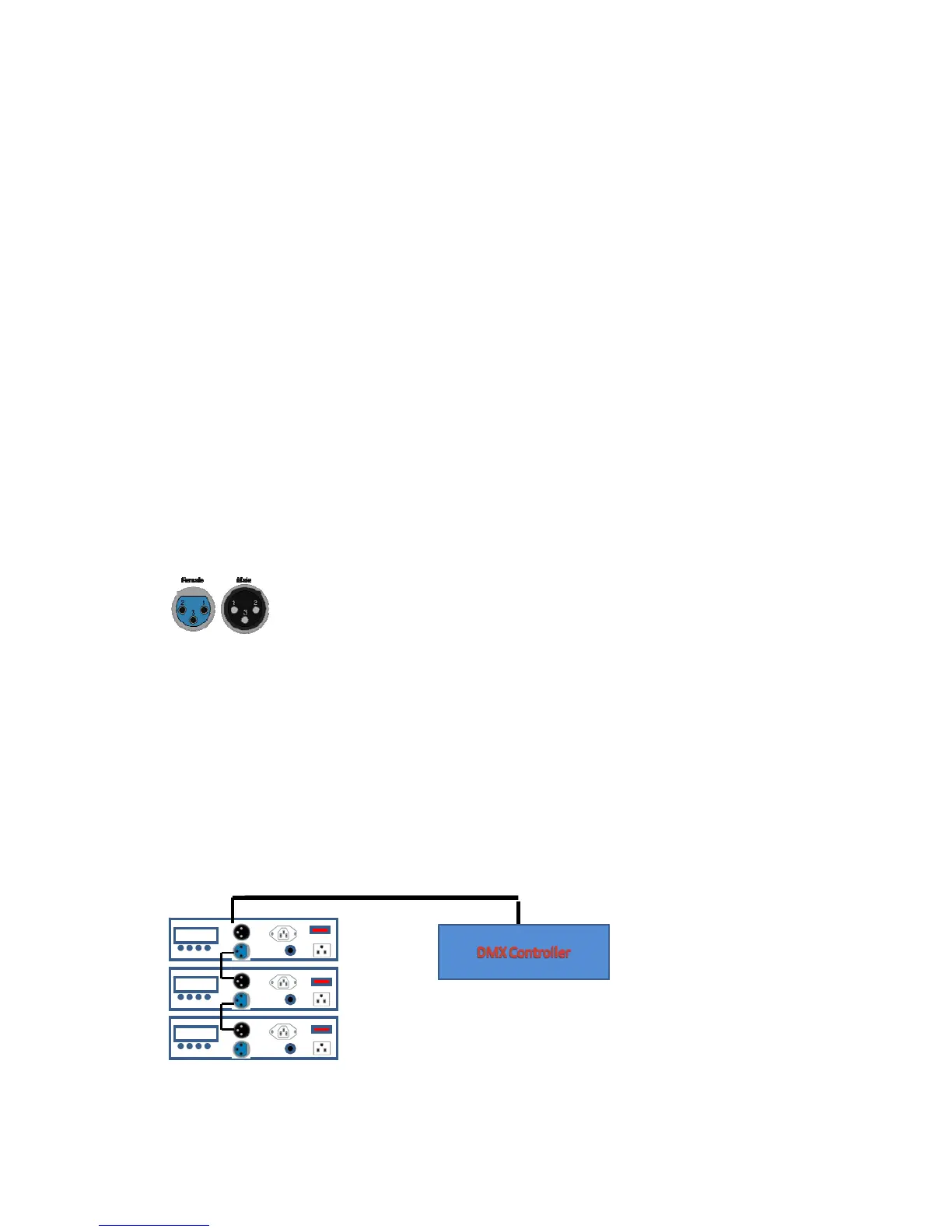
Signal Linking
In order to use this fixture in a DMX or master/slave operation, you must daisy chain, using DMX cables to link from one
fixture to another.
XLR Pin Data: 1 = Ground, 2 = Data (-), 3 = Data (+)
DMX Mode
This mode allows the unit to be controlled by any universal DMX controller. If you are unfamiliar with DMX,
1) Press the <MODE> button until is displayed DMX address ( A001- A255 ),
2) Use the <UP> and <DOWN> buttons to select the desired DMX address.
3) Press the <ENTER> button to store the address.
4) Press the <MODE> button to go back to previous Menu.
DMX
IN
DMX
OUT
DMX
IN
DMX
OUT
DMX
IN
DMX
OUT



 To Next Page