
 Need help?
Do you have a question about the Auta 2H and is the answer not in the manual?
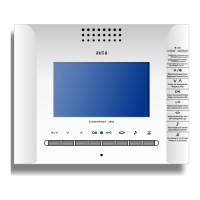
Describes receiving calls, viewing images, and establishing conversations for a maximum of 90 seconds.
Enables communication with the PANEL/CCTV CAMERA and switching between devices by pressing the button.
Allows adjusting the call volume via a hole, offering two levels: MEDIUM and HIGH.
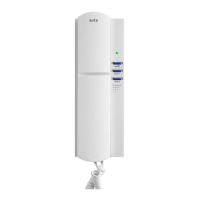
Enables selecting ring tones by interacting with the handset and a specific hole to cycle through 8 melodies.
Integrates interior bell calls with outside panel calls, using different melodies and flashes automatically.
Mutes ringing tones for a selected time (2, 4, or 8 hours) and returns to standard mode automatically.
Monitors building entrance in real-time; sends a visual alarm if the door remains open longer than set.
Manages two doors in the entrance panel, activating RYa or RYb panel relays via specific button presses.
Covers turning the monitor on/off, writing down settings, making bridges, and restoring configurations.
Details setting, validating, and activating function codes using the AUX push-button.
Configures the number of ringing tones for incoming calls, selectable from 1 to 4 tones.
Allows door opening functionality only when a call is received, with specific input TP1.
Activates the 'Automatic opening' function during a call, controlled by specific button presses.
Enables the AUX push-button to control the 'AUX2' output when used with a specific module.
Resets the device to its default factory settings by inputting a specific code.
 General
| Brand | Auta |
|---|---|
| Model | 2H |
| Category | Intercom System |
| Language | English |


 To Next Page