Select the action which you would accomplish.
5.3. Network
The Network function allows you to adjust network settings.
1. Properly insert the network cable into the RS 232 Serial Port of the scan
tool.
2. Follow the instructions in the General Procedures to display the
Setup/Help screen.
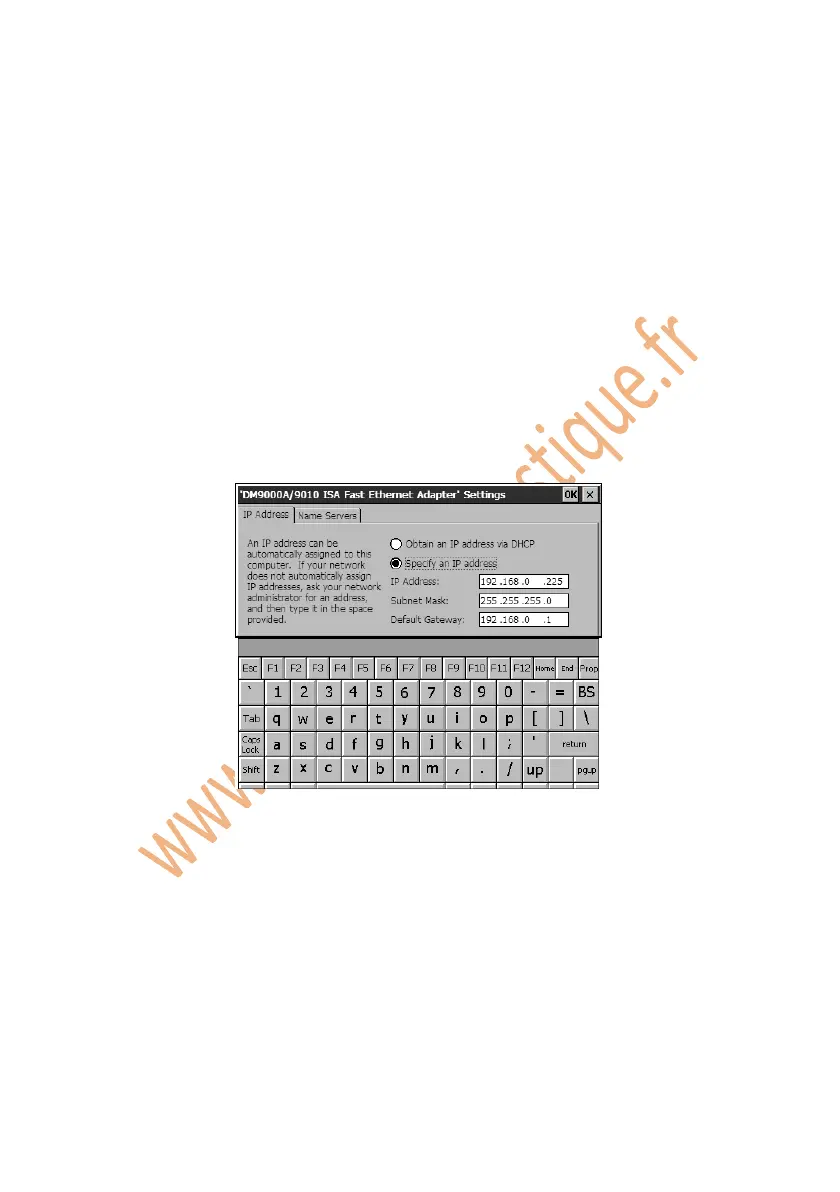
3. Click on the Network icon and wait for “DM9000A/9010 ISA Fast
Ethernet Adapter Settings” window to pop up.
Figure 5.4: Network
4. Do one of the followings to set up IP address:
If the local network will automatically assign an IP address to a device,
select “Obtain an IP address via DHCP”.
If IP address is not assigned automatically, select “Specify an IP address”,
obtain the address from the network administrators and enter it in the
space.
5. Click on OK to save your configuration and exit.















 To Next Page