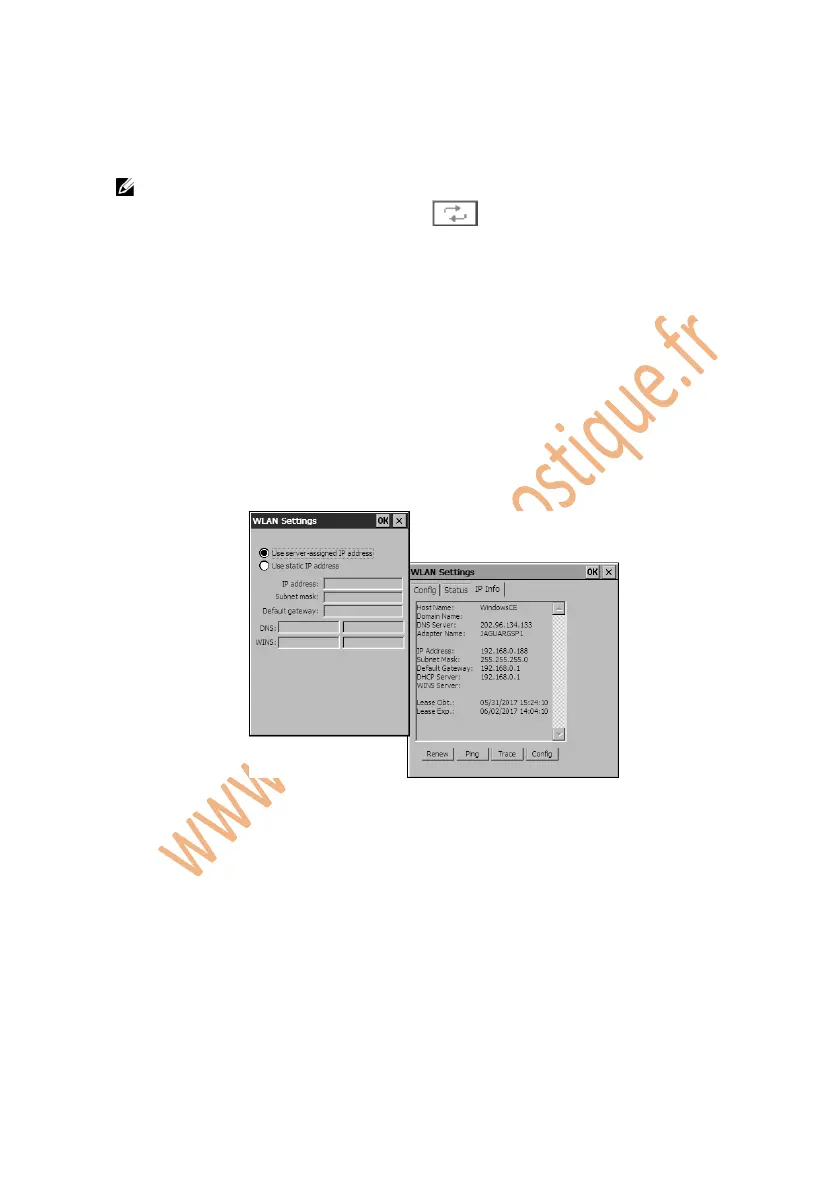
4. Wait for an IP address to be assigned.
5. Click on OK to save your configuration and exit.
NOTE: If no network is listed in Preferred Networks column or Active
Networks column, click on the button to refresh the screen. If
refreshing does not help, you will have to add a hidden wireless network
manually.
To add a hidden wireless network, please do the following:
Follow the step 1 and step 2 above in the Section 5.2 Wi-Fi to display the
WLAN Settings window.
Click on the IP Info function bar and then on the Config button. Wait for
a WLAN Settings window to pop up.
Figure 5.3: To Add a Wireless Network Manually
Select “Use static IP address”, and fill in the blanks.
Click on OK.
To remove a wireless network, arrange the order of each network, or edit
wireless network information from the list of networks under Preferred
Networks, please do the following:
Select the wireless network, click on it and hold for a few seconds and
wait for the action menu to pop up.















 To Next Page