70
5 Product Troubleshooting
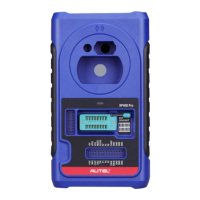
This section discusses errors that might occur when using the XP400
Pro and the steps to take to resolve these issues.
Vehicle Linking Error
A communication error occurs if the diagnostic tablet fails to
communicate with the XP400 Pro. Please do the following to correct
the error:
Verify that the XP400 Pro has been authorized by the diagnostic
tablet.
Verify the Internet connection is strong and stable.
Verify that the power LED on the XP400 Pro is lit solid green.
PC Communication Error
A communication error occurs if the XP400 Pro fails to communicate
with PC. Please do the following to correct the error:
Verify that the power LED on the XP400 Pro is lit solid green.
Ensure no firewall software on the PC is preventing communication
and that the USB port is functioning properly.
Ensure the USB communication status LED is blinking green.
Contact technical support if the above steps fail to resolve the
communication error.


 To Next Page