35
turn on.
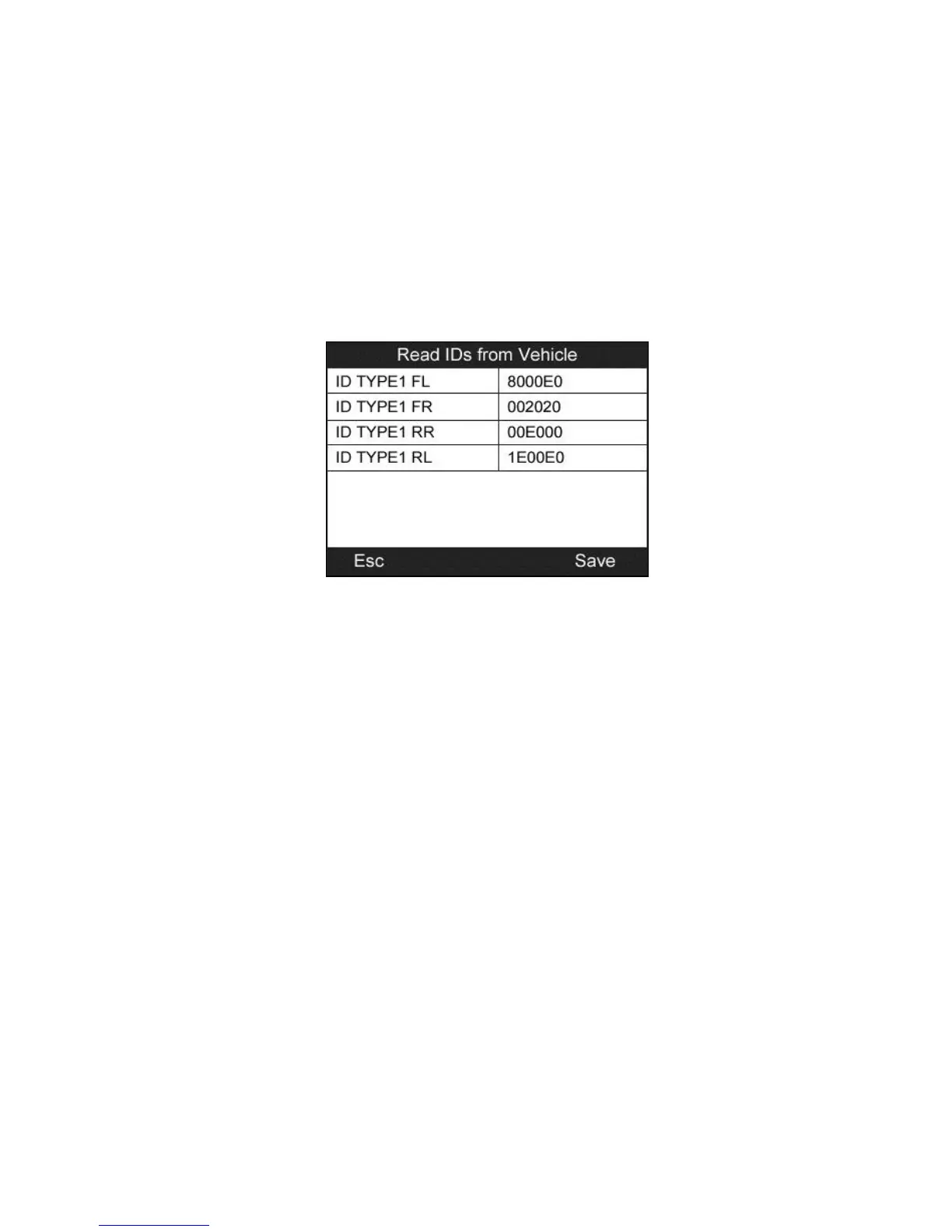
Read IDs from Vehicle
1) From TPMS Diagnosis Menu, use the UP/DOWN scroll button
to select the Read IDs from Vehicle, and press the Y button
(Figure 4.21).
2) The tool will display the sensor IDs and positions for your viewing.
Press the Y button to save data for future review, or the N button
to exit without saving.
Figure 4.25
Read Codes
1) From TPMS Diagnosis Menu, use the UP/DOWN scroll button
to select the Read Codes, and press the Y button (Figure 4.21).
2) A data list of TPMS DTCs retrieved from the vehicle’s ECU will
show up. If the data covers more than one screen, use the
UP/DOWN scroll button to view additional DTC information, and
press the Y button to save data for future review, or press the N
button to exit without saving.


 To Next Page