15
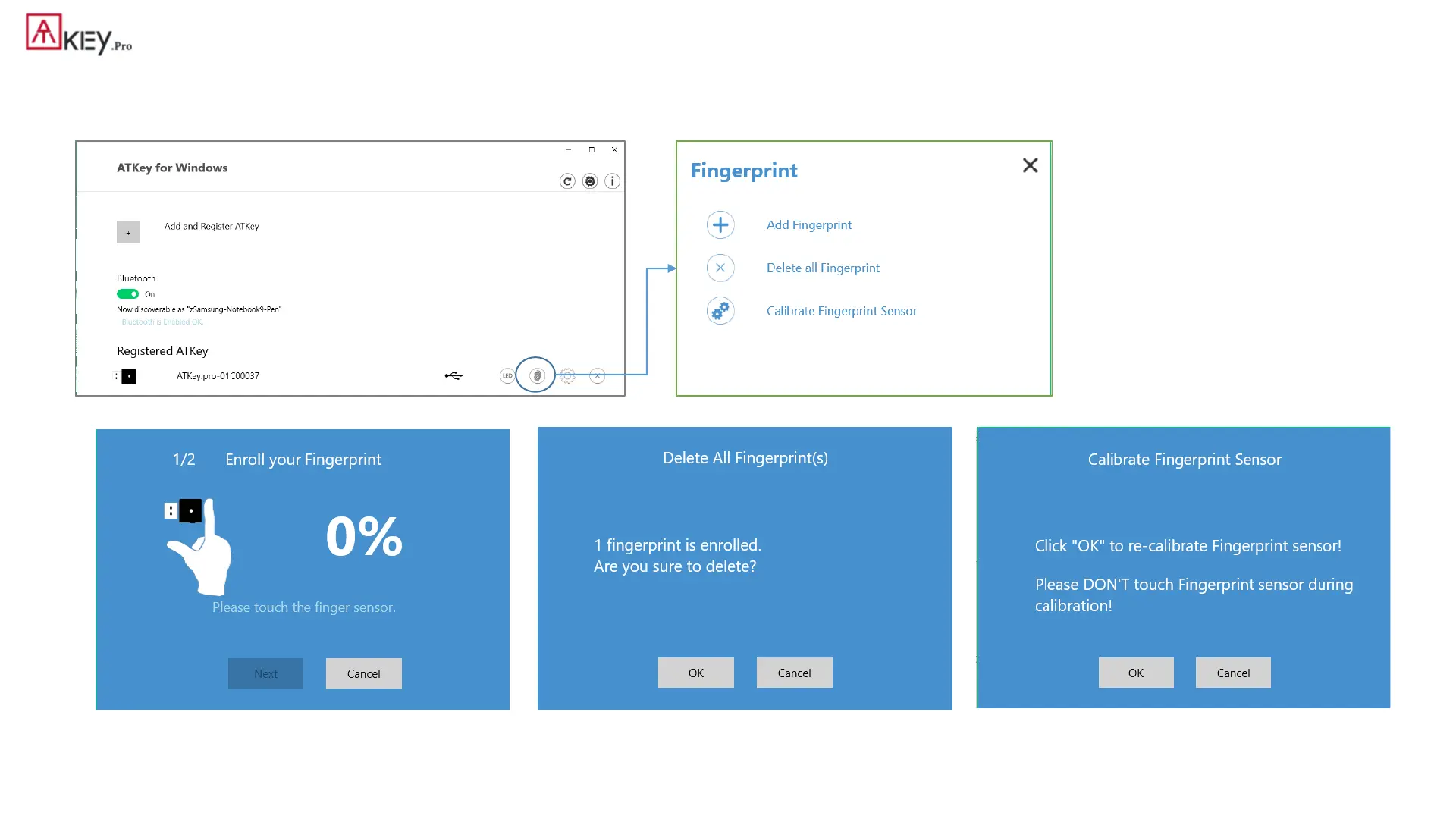
| App “ATKey for Windows” – add/delete fingerprints
• ATKey management – Add/Delete fingerprints, fingerprint sensor calibration
• Enroll new fingerprint in by ~12 times touch,
following UI message; up to 10x fingerprints
• Here will delete all enrolled fingerprints, “OK”
to delete them
• It needs Windows PIN code to authorize.
• If you feel something wrong of fingerprint,
doing Calibration to re-calibrate the sensor
• Don’t put your finger on during calibration; LED
will be WHITE flashing then back to Blue


 To Next Page