18
| ATKey for FIDO2 online login
• Passwordless login Microsoft account by security key:
• For Password-less login to Microsoft account - Windows
10 build 1809 or later version via Edge/Chrome
browser, USB mode:
• You can login to add ATKey.Pro as security key for your
Windows account from here:
https://account.microsoft.com/account
• Login by ID/Password first
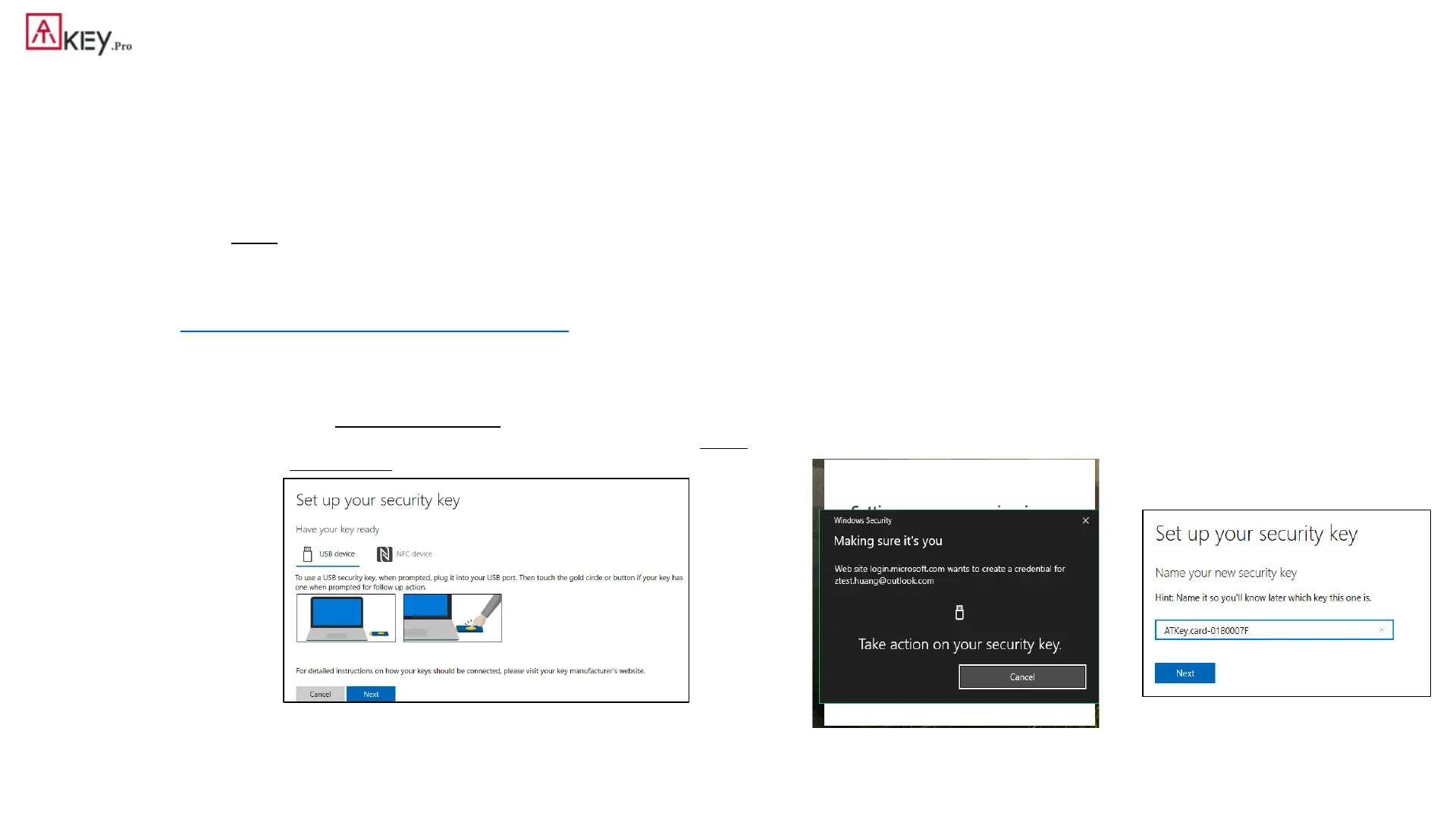
• Step by step to setup security key
• Click “Security” from banner bar
• Click “more security options” from bottom
• From “Windows Hello and security keys” section, click “Set up
a security key”
• Touch your enrolled fingerprint to verify
• Fingerprint matched, type in name
of the key (default name following
keycode)


 To Next Page