7
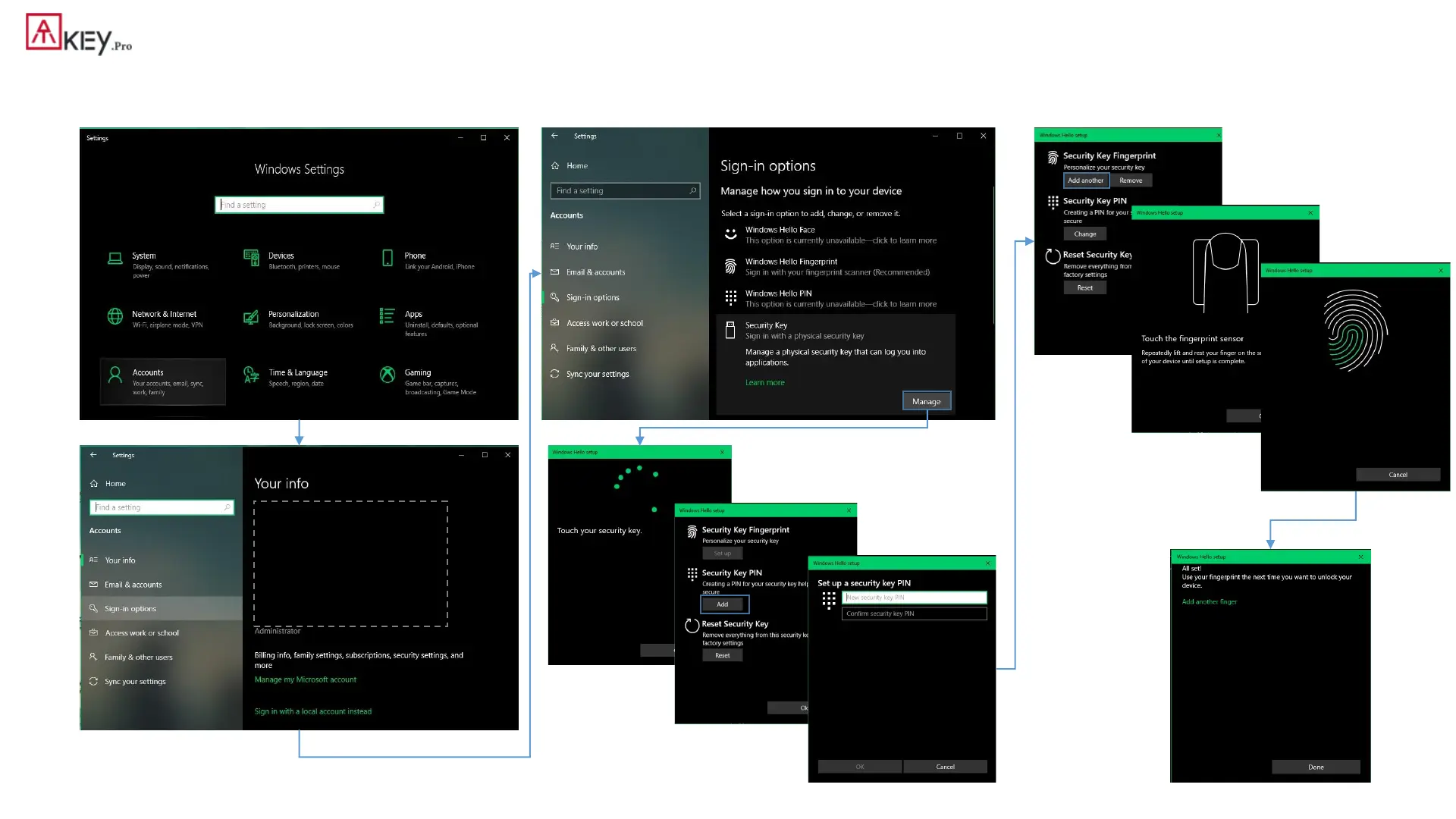
| Windows Settings (OS build is 1903 or later version) – Enroll fingerprint
• Windows Settings => Account => Sign-in options => Security Key => add “PIN code” and enroll “Fingerprints”
Click “Manage”,
touch fingerprint sensor to setup
Add “Security Key PIN” first;
this PIN code will write into
ATKey.Pro
• Setup “Security Key
Fingerprint”
• Type-in PIN code, following
screen hint to enroll
fingerprint, until “All Set!”


 To Next Page