10
2. Connect the power cable to the fuse box. Find the fuses and metal of the car which the yellow wire (B+), red wire (ACC) and the black wire
(GND) connect to.
3. Connect the red wire (reverse trigger wire) on the video cable to the positive reverse light wire.
Note:
1. If the reverse trigger wire is not connected to the reverse light, the rear camera can also work, but neither the guide lines will come up on the
screen nor the rear camera view adjust down automatically when in reverse.
2. The GPS antenna is suggested to be installed on the dashboard with the side stamped with GPS facing up.It may be difficult to receive
signals in environments where GPS signals are blocked, such as tunnels, buildings or mountains.
3. Before starting wiring in the fuse box, please connect the two small fuse adapters to the red wire (ACC) and the yellow wire (B +) separately
in the following steps.
Note:
1. The Low-profile Mini add-a-circuit fuse tap adapter is included in the package, please contact our after-sales service if it does not fit your car.
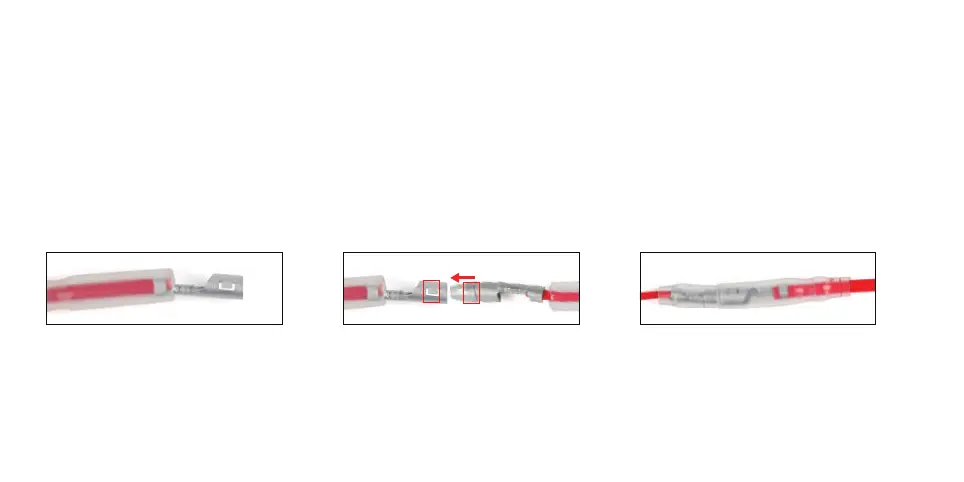
Open the transparent plastic sleeve on
the fuse tap adapter.
Insert the top end of cable into micro
fuse tap adapter until the red box
marks coincide.
Put the long transparent plastic sleeve
on the short one to secure the sleeves



 To Next Page