EasyManua.ls Logo

AUTOHELM ST 50 plus - Operation with a Navcenter

AUTOHELM ST 50 plus
47 pages
Print Icon
To Next Page IconTo Next Page
To Previous Page IconTo Previous Page
Loading...
3
.8
Operation
with
a
Navcenter
The
Navcenter
is
a
much
simpler
and
more
powerful
way
of
setting
waypoints
and
routes
.
This
is
due
to
its
ability
to
display
them
graphically
on an
electronic
chart
.
For
this
reason,
all
waypoints
and
route
planning
should
be
done
on a
Navcenter
whenever
there
is
one
included
in
the
system
.
When
a Navcenter
is
included,
the
ST50
Plus
GPS/Navdata
should
be
set
to
REPEAT
mode
(refer
to
Chapter
5,
Calibration)
.
In
REPEAT
mode
the
waypoint
display
and
enter
functions
of
the
GPS/
Navdata
are turned
off
.
The
SeaTalk
system
then
uses
the
waypoints
and
routes
set
on
the
Navcenter
.
The
GPS/Navcenter
TRACK
key can
then
be
used
to
control
the
Navcenters
track
functions
as
follows
:
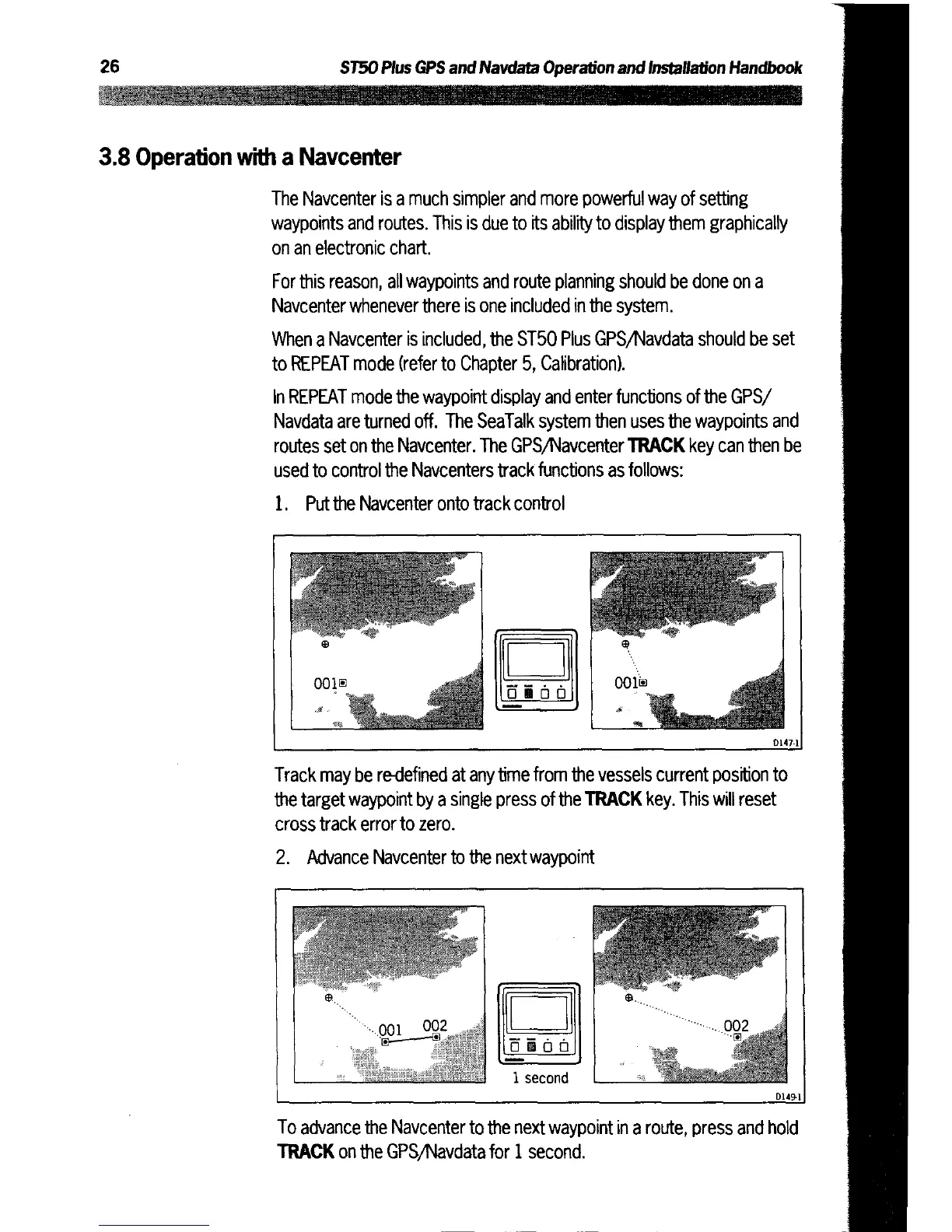
1
.
Put
the
Navcenter
onto
track
control
Track
may
be
re-defined
at
any
time
from
the
vessels
current
position
to
the
target
waypoint
by a
single
press
of
the
TRACK
key
.
This
will
reset
cross
track error
to
zero
.
2
.
Advance
Navcenter
to
the
next
waypoint
To
advance
the
Navcenter
to
the
next
waypoint
in
a
route,
press and
hold
TRACK
on
the
GPS/Navdata
for
1
second
.