EasyManua.ls Logo

AUTOHELM ST 50 plus - Page 45

AUTOHELM ST 50 plus
47 pages
Print Icon
To Next Page IconTo Next Page
To Previous Page IconTo Previous Page
Loading...
Extended
Calibration
Notes
All
of
the
extended
calibration
screens
are
adjusted
using
the
V
and/or
^
keys
.
Calibration
On/Off
This
feature
allows
you
to
protect
your
selected
settings
against
acciden-
tal
change
.
When
lock
is
enabled
the
initial
and
intermediate
calibration
settings
cannot be
modified
.
CAL
1
=
Calibration
unlocked,
i
.e
.
normal
access
CAL
0 =
Calibration
locked,
i
.e
.
no
access
Once
locked,
calibration
can
only
be
unlocked
by
entering
extended
calibration
and
selecting
calibration
unlocked
.
Damping
Damping
controls
the
averaging
applied
to
the
displayed
data
.
The
range
is
1
to
15,
with
the
factory default
set
to
4
.
The
damping
displays
contained
in
extended
calibration
are
:
"
Speed
(D
SPEED)
"
Heading
(D
HEAD)
"
Wind
speed
(D
WIND
S)
"
Wind
angle
(D
WIND
A)
"
Speed
Over
Ground
(D
SOG)
"
Course
Over
Ground
(D
COG)
"
Velocity
Made
Good
(D
VMG)
"
Tide
(D
TIDE)
The
damping
displays
are
adjusted
using
the
V
and
^
keys
.
Boat
ShowMode
(BSHOW)
'Boat
Show'
mode
is
a
dealer
demonstration
program
only
.
Under
no
circumstances
must
this
program
be
engaged
when
this unit
is
installed
on-board
your
vessel
.
The
display
must,
therefore,
be
left
set
to
'BSHOW
0'
.
Exit
Extended
Calibration
To
exit
extended
calibration
and
return
to
the
main
GPS/Navdata
display,
press
and
hold
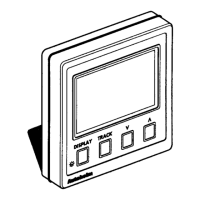
DISPLAY
and
TRACK
for
2
seconds
.