DL06 Micro PLC User Manual, 3rd Edition, Rev. E
5-262
Chapter 5: Standard RLL Instructions
1
2
3
4
5
6
7
8
9
10
11
12
13
14
A
B
C
D
Math - Real (MATHR) (IB-541)
Math - Real Format lets you enter complex mathematical expressions like you would in Visual
Basic, Excel, or C++ to do complex calculations, nesting parentheses up to 4 levels deep. In
addition to + - * /, you can do Bit-wise And (&) Or (|) Xor (^), and many Real functions -
Arc Cosine (ACOSR), Arc Sine (ASINR), Arc Tangent (ATANR), Cosine (COSR), Convert
Radians to Degrees (DEGR), Invert Bits (INV), Convert Degrees to Radians (RADR), HEX
to Seven Segment Display (SEG), Sine (SINR), Square Root (SQRTR), Tangent (TANR).
Example: ((V2000 + V2002) / (V2004 - R2.5)) *
SINR(RADR(V3000 / R10.0))
Every V-memory reference MUST be able to fit into a
double word Real formatted value.
MATHR Parameters
• DWORD Result: specifies the location where the Real result of the mathematical expression will be
placed (result must fit into a double word Real formatted location)
• Expression: specifies the mathematical expression to be executed and the result is stored in specified
DWORD Result location. Each V-memory location used in the expression must be in Real format.
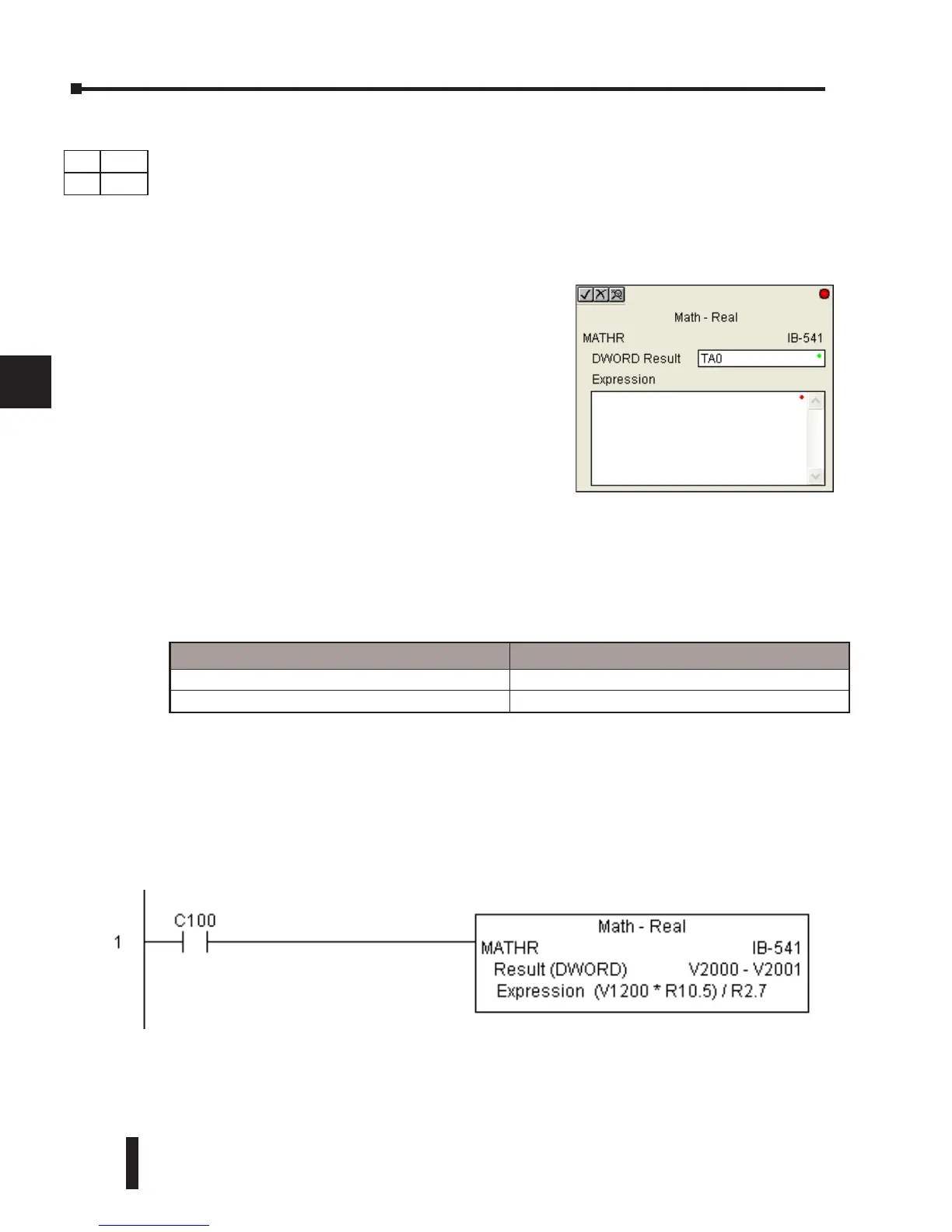
MATHR Example
In the following example, the MATHR instruction is used to calculate the math expression
which multiplies the REAL (floating point) value in V1200 by 10.5 then divides by 2.7 and
loads the resulting 32-bit value in V2000 and V2001 when C100 turns on.
Parameter DL06 Range
DWORD Result V See DL06 V-memory map - Data Words
Expression Text
DS Used
HPP
N/A



 To Next Page