82 Calvary St
Waltham, MA 02453
PHONE: (781) 893-3403
FAX: (781) 899-5708
64
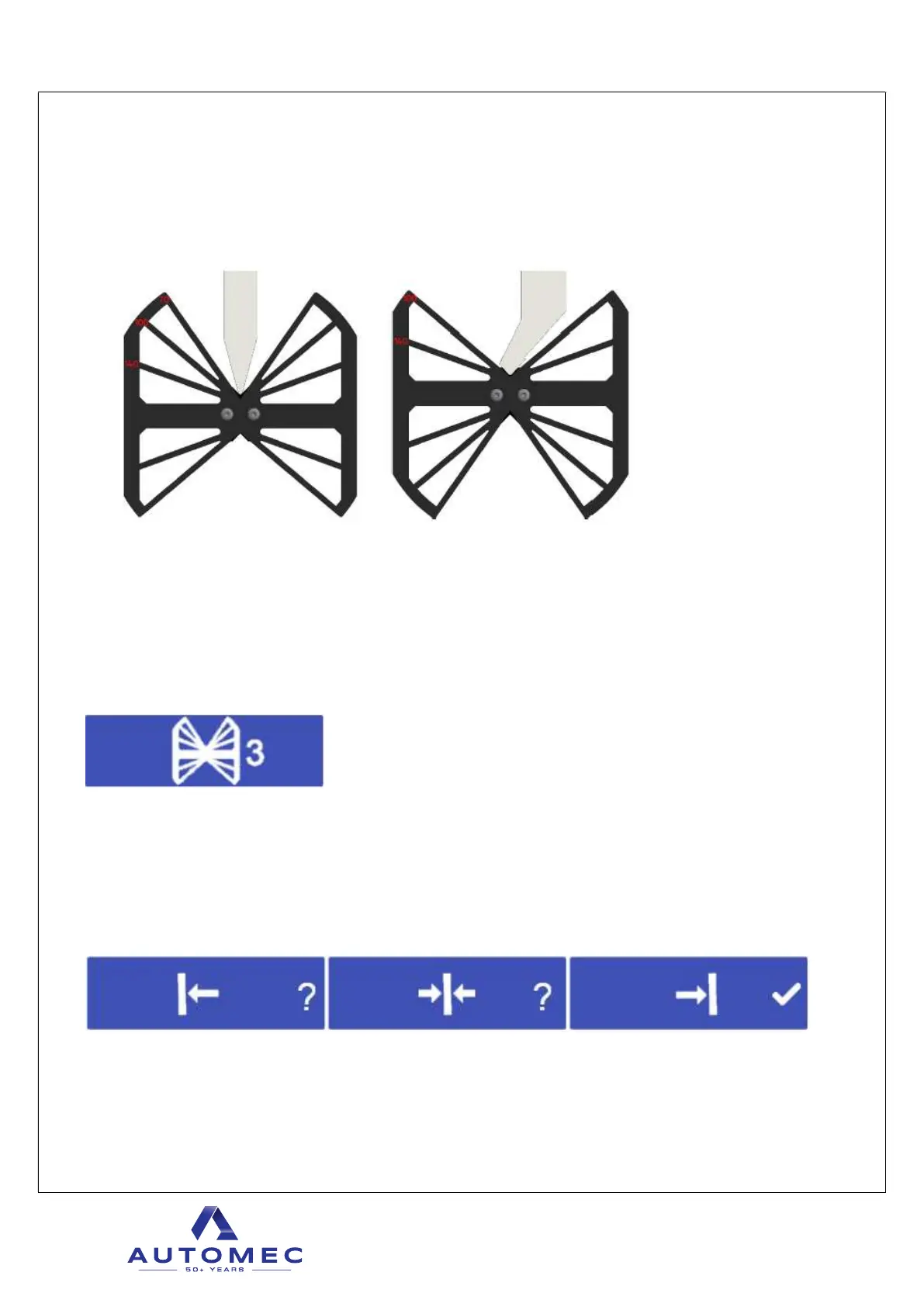
After successful reference image system calibration can be performed. To do that calibration
tool shown below is required. Calibration tool is always provided with the machine.
If angle of the punch is <70 degrees, calibration tool should be xed to the punch according
left picture, otherwise according right picture.
With below shown button operator must also select corresponding choice so that calibration
can be performed properly. Note that incorrect selection will cause calibration to be
unsuccessful. Also, reasons for unsuccessful reference image listed above applies to the
calibration.
Calibration should be performed at 3 points on current tool setup, at the very left, middle, and
very right.
When calibration tool is placed on one of those places, corresponding calibration button must
be pressed, which are left, middle and right on 3 separate buttons as shown below.
After successful reference image and calibration, system is ready to be operated.



 To Next Page