8
Setup
Setup
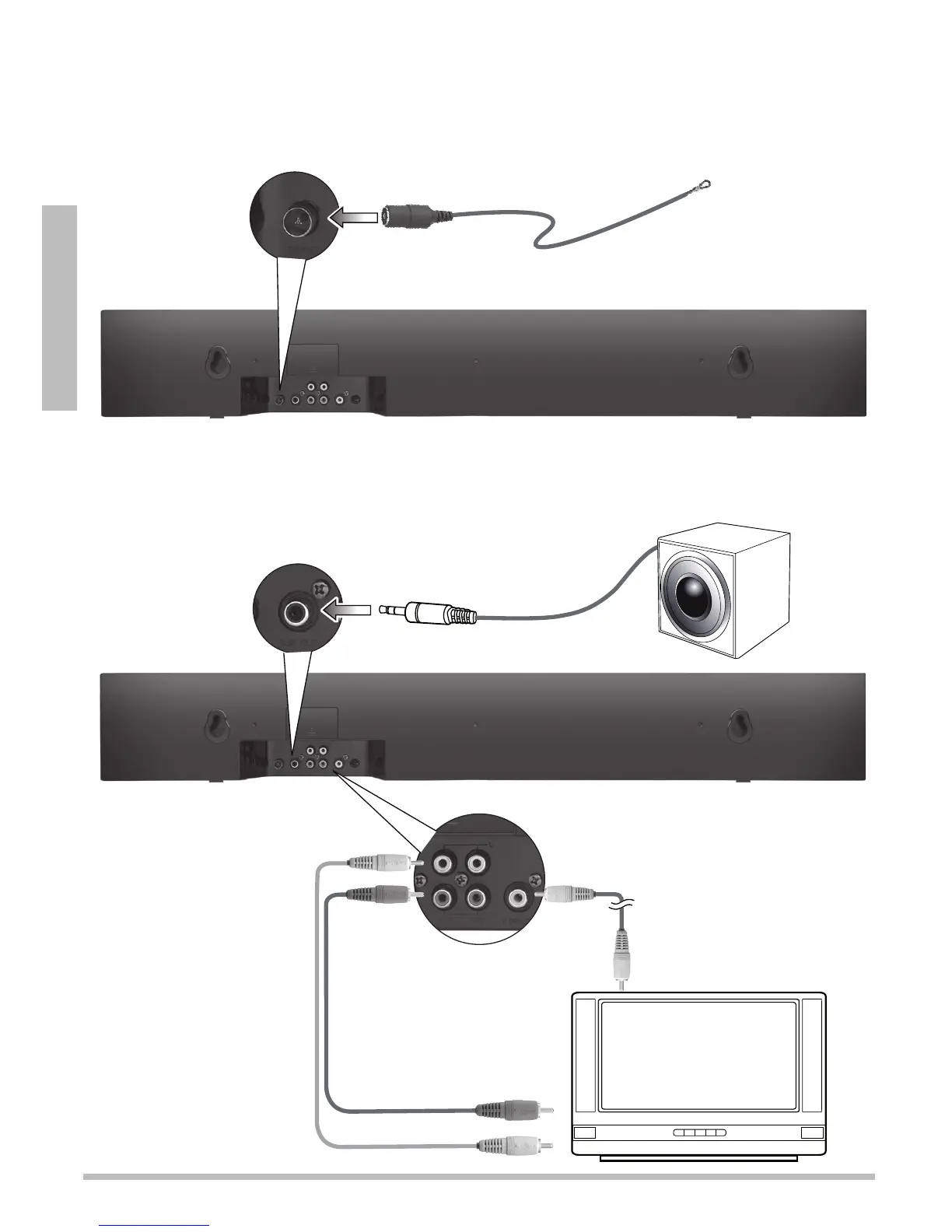
1 Connect the FM Antenna
Plug the supplied FM antenna into the FM ANT jack.
2 Connect External Devices (Optional)
Audio Inputs
Use an audio cable to connect
each device’s audio output
jacks to the soundbar’s audio
jacks, IN 1 or IN 2. Red jacks
are for right audio, and white
jacks are for left audio.
Video Outputs
Use the video cable to connect
each device’s video input jack
to the soundbar’s VIDEO
OUT jack.
Subwoofer
Connect an external subwoofer


 To Next Page