4
4
Use Your Speaker
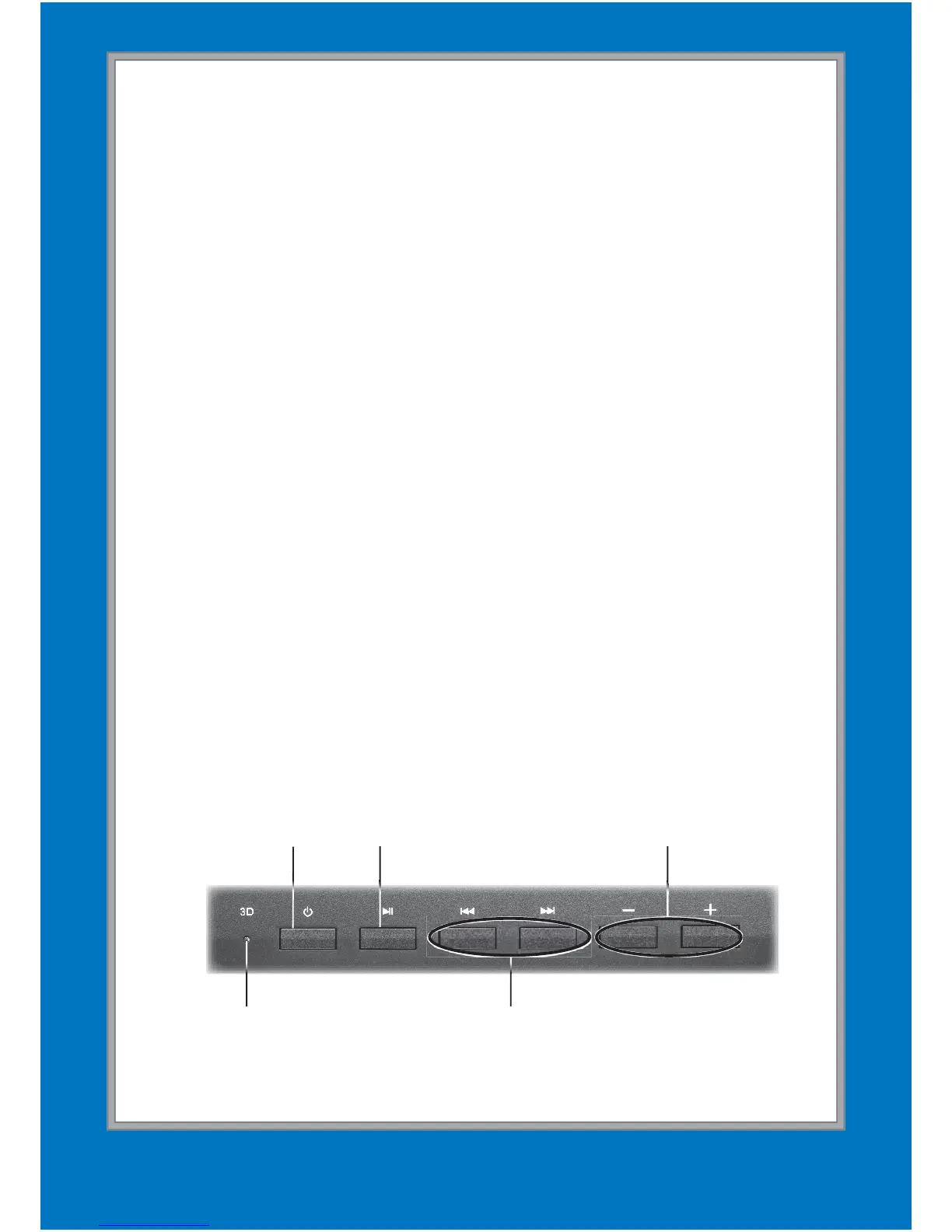
1. Press the power button (G). The Bluetooth indicator
fl ashes red and blue as
the speaker searches for a
Bluetooth-enabled device.
2. Activate your device’s Bluetooth function (refer to your
device’s user’s guide).
3. When AUVIO4000438 appears in the Bluetooth
devices list, pair it to your device.
4.
You can control your speaker through your device or the
remote or with the speaker’s buttons.
Press and hold § for 4 seconds to disconnect Bluetooth.
The speaker starts searching for other Bluetooth devices.
In both Bluetooth and AUX modes, the speaker
automatically turns off to save power if it is paused
and receives no operation for 10 minutes or if the
Bluetooth connection is broken for 10 minutes.
After you turn the speaker on, it attempts to resume
Bluetooth connection with the formerly connected
Volume +/–
Previous/Next
Power On/Off
Play/Pause/ Disconnect
Bluetooth
Sonic Emotion
Absolute 3D Indicator


 To Next Page