WIFI Module Instruction Manual
One WIFI Communication Module connect to one light Commercial.
v ARV WIFI Module Configuration
1.1 APP Download
Mobile terminal scan the following dimensional code to download APP, or search
“AC Freedom” in APPSTORE and Google store.
1.2Light Commercial WIFI Module Installation
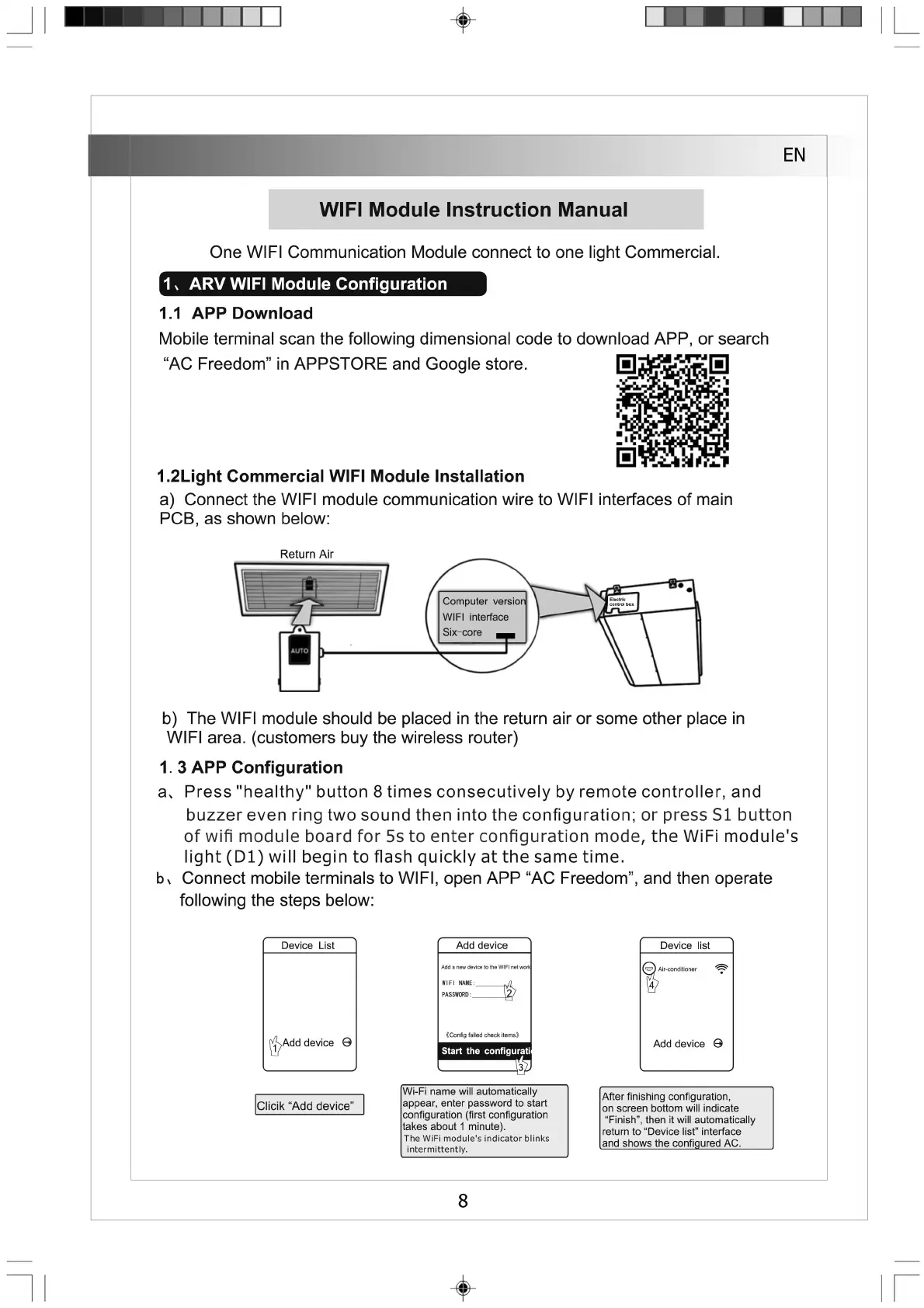
a) Connect the WIFI module communication wire to WIFI interfaces of main
PCB, as shown below:
Return Air
b) The WIFI module should be placed in the return air or some other place in
WIFI area, (customers buy the wireless router)
1. 3 APP Configuration
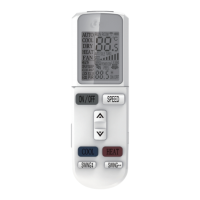
a、 Press "healthy" button 8 times consecutively by remote controller, and
buzzer even ring two sound then into the configuration; or press SI button
of wifi module board for 5s to enter configuration mode, the WiFi module's
light (D l) will begin to flash quickly at the same time.
b、 Connect mobile terminals to WIFI,open APP “AC Freedom”,and then operate
following the steps below:
Device List
Add device
Device list
Add a new device to the WIFI net work
WIFI NAME: ^7
PASSWORD: ^2)
Air-conditioner
(^Add device ㊀
《Config failed check items》
Add device ©
L
_
_
Clicik “Add device”
Wi-Fi name will automatically
appear, enter password to start
configuration (first configuration
takes about 1 minute).
The WiFi module's indicator blinks
intermittently.
After finishing configuration,
on screen bottom will indicate
"Finish", then it will automatically
return to "Device list" interface
and shows the configured AC.
8


 To Next Page