COOL
+
-
SPEED
ON/OFF
MODE
TIMERHEAT
SPEED AUTO TURBO
RUN
HOUR
ON OFF
AUTO
COOL
DRY
HEAT
FAN
HEALTH
ECO
SLEEP
SILENCE
ELE.H
DISPLAY
LIGHT
MENU
OK
L/R
SWING
U/D
SWING
iCLEAN
I-FEEL
Anti-F
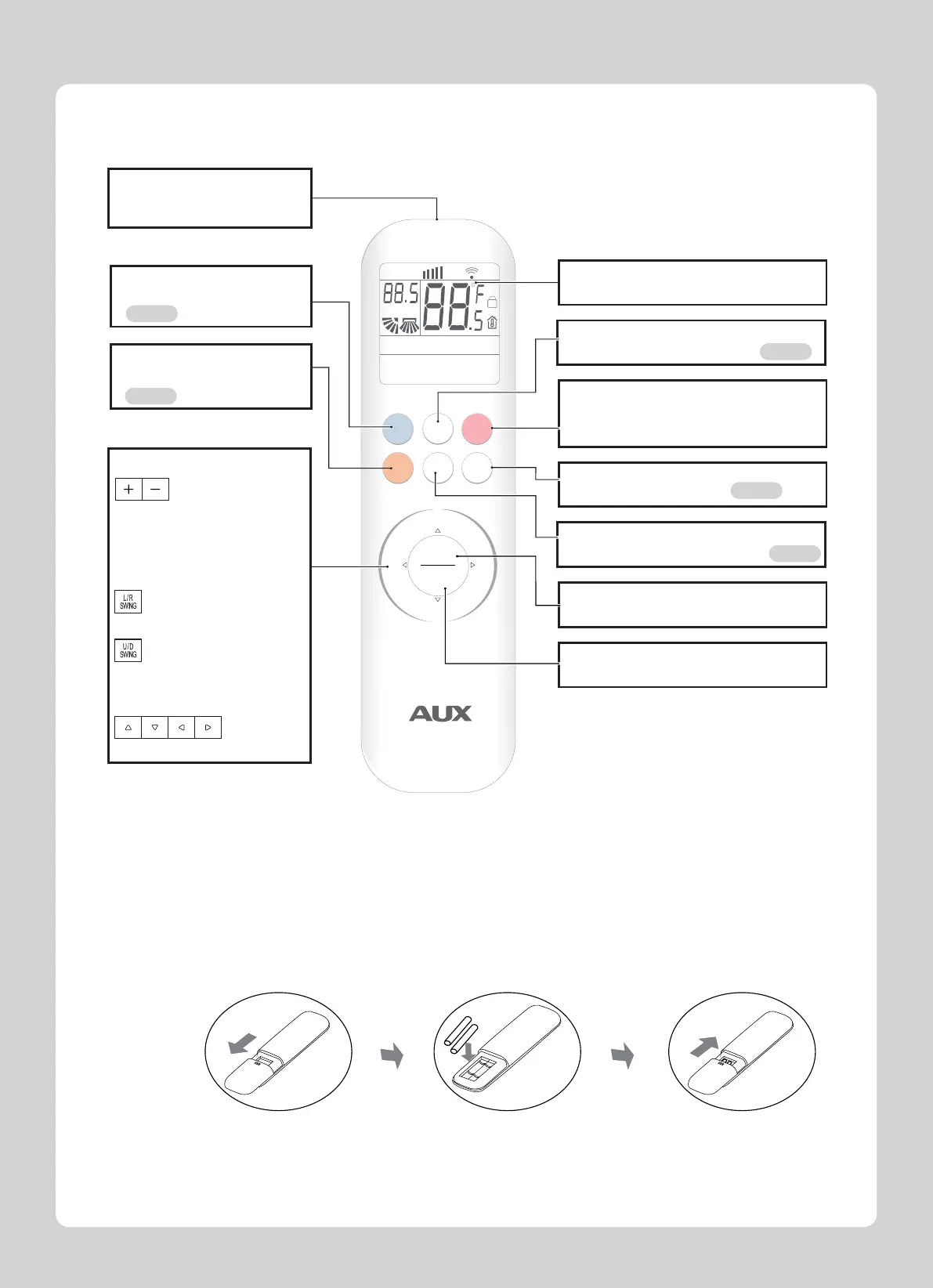
ON/OFF button
Press this button once to start operation.
Press once again to stop it.
●
Signal transmitter
Distance of signal:
About 8m.
●
OK button
Confirm the function.
●
MENU button
Enter the function selection mode.
●
Operation display section
Selects the operation mode. Page 4
MODE selector button
●
TIMER button
Enter the timer function setting. Page 6
●
SPEED button
Selects the airflow rate setting. Page 5
●
HEAT button
●
COOL button
●
Quickly activate cooling mode
Quickly activate heating mode
Page 4
Page 4
TEMPERATURE button
SWING button
Changes the temperature
setting.
●
Adjusts the airflow direction.
●
DIRECTION button
Selects different modes in mode
●
Left and right airflow direction
Up and down airflow direction
●Installing the remote controller batteries
1.Slide to open the battery cover according to the direction indicated by the arrowhead.
2.Insert two brand new batteries (AAA), and position the batteries to the right electric poles (+& ).-
3.Put back the battery cover.
Preparation before Operation
3



 To Next Page