The air conditioner operates in the mode you choose.
The next time you turn it on, it will operate in the same mode.
Selecting Operation Modes
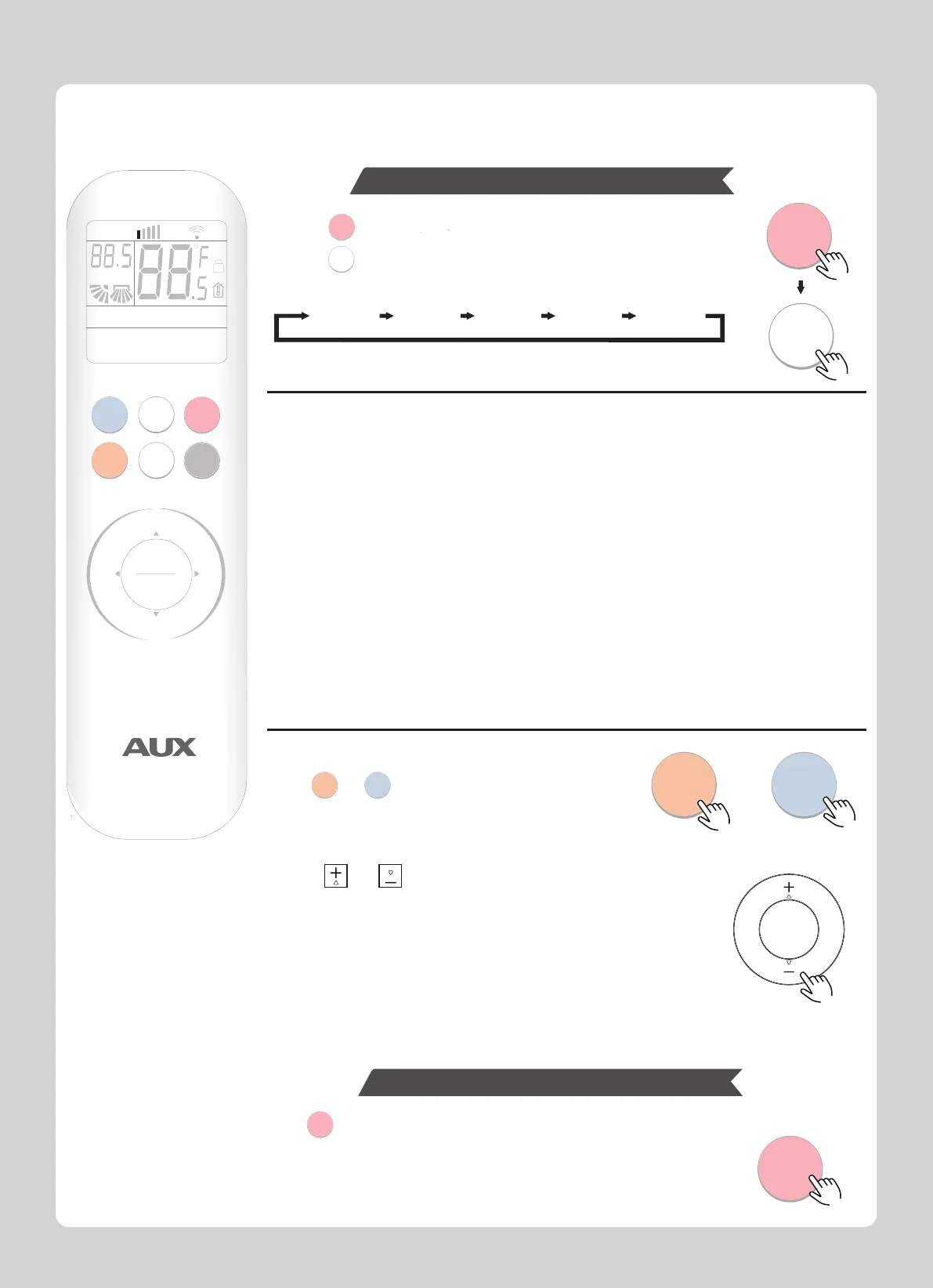
1.Press to start the operation.
2.Press to select operation mode.
Each press changes mode in the following order:
Note: Heat mode is not available for single cool models.
Please read the Usage for Mode for a detailed description.
3.Press or to set the temperature.
Each press raises or lowers the temperature by 1℃ or 1℉.
The temperature setting range: 16℃ ~ 32℃.
Press again to stop the operation.
The same setting is selected the next time by simply pressing.
In AUTO operation, the system selects an appropriate operation mode
(COOL or HEAT) based on the indoor temperature and starts the operation.
Mode: AUTO;
Default temperature:25℃;
Fan speed: AUTO;
Note: In the auto mode, the temperature setting is non-effective.
Note:
The temperature can not be set in auto or fan mode.
Keeping the temperature setting at a moderate level helps save energy.
Recommended temperature setting:
For cooling: 26°C-28°C
For heating: 20°C-24°C
Enjoy cool air at your desired temperature.
Enjoy warm air at your desired temperature.
Note: The cold wind type has no heating function.
COOL
+
-
SPEED
ON/OFF
MODE
TIMERHEAT
MENU
OK
L/R
SWING
U/D
SWING
AUTO
COOL
DRY
HEAT
FAN
AUTO
COOL
DRY
HEAT
FAN
ON/OFF
MODE
ON/OFF
ON/OFF
ON/OFF
MODE
Fast switching
Press or to switch heat or cool mode.
COOL
HEAT
COOL
HEAT
RUN
HEAT
FAN
SILENCE
ELE.H
iCLEAN
SPEED AUTO TURBO
HOUR
ON OFF
AUTO
COOL
DRY
HEALTH
ECO
SLEEP
DISPLAY
LIGHT
I-FEEL
Anti-F
Reduces the humidity level in the space while maintaining the indoor temperature
as much as possible.
Note: In the dry mode, the speed setting is non-effective.
Note: In the fan mode, the temperature setting is non-effective.
Only the fan operates recirculating the air in the space
Start Operation
Stop Operation
4



 To Next Page