VIEWING AND SELECTING MODEL NUMBERS
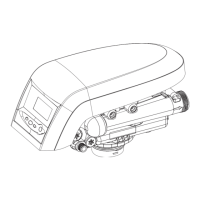
AvantaPure 269 Counter Current Valve
Capacity/Salt Dosage Reference
Model number selection must match the tank size and resin volume of the system. Model number
determines salt dosage and capacity. A model number is assigned to each salt dosage for each
system size. Entering Level III programming and following the procedure listed below can change
model Number/Salt Dosage:
Viewing the Model Number
Press and hold the SET and DOWN buttons simultaneously until the display blanks out. Release
buttons.
The Model Number will be displayed. Proceed to the next step to change the Model Number. Note: The
control will revert back to the service display if no buttons are pushed within 30 seconds
To Change The Model Number
Press and hold the SET button until 0 is displayed
Release button.
A flashing 11 will now be displayed on the screen, which is a default model number.
Press the UP or DOWN button until the desired model number is displayed. See Table 1 AvantaPure
269 Counter Current Valve Capacity/Salt Dosage Reference in Level II programming section. *
Press and release the SET button to save the desired model number.
Time of day will scroll and time will be flashing.
Set Time of Day
Press the UP or DOWN button to set to the current time of day
Press the SET button to save setting.
Scroll will display DAY.
Day of the Week
Press UP or DOWN button to set to the current day of week.
Press and release SET button to save setting.
Regeneration Time will scroll, Time of Regeneration will be flashing.
To Change Time of Regeneration
Press the UP or DOWN button to set to the desired time of regeneration needed.
Press and release the SET button to save setting.
*The Model Number setting is very important. The AvantaPure controller software includes additional
Model Numbers that operate other AvantaPure valve types. If the Model number is set incorrectly an
ERROR 3 could be displayed in when advancing the valve through the regeneration cycles, and the
valve will not function properly. The control Model Number must be selected from Table 1 in this
service manual.


 To Next Page