User Manual
ARIA 3
6
EN
Charging the Headphones
A “LOW BATTERY” voice prompt and a ashing red light indicates low
battery. In order to charge, you can use either a 5V/500mA-2A rated USB
adapter (your phone charger or similar should work) or PC USB port as a
power source.
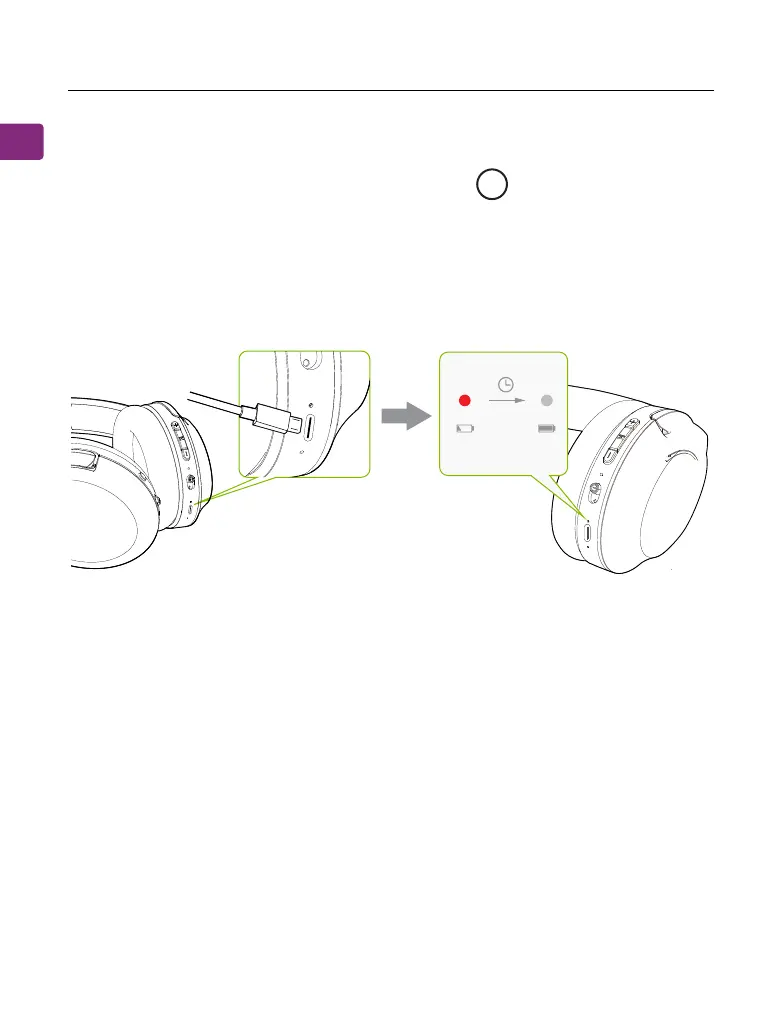
Plug the provided type C power cable directly into the headphones’ charging
port.
A solid red light indicates that charging is in progress; once the light turns o,
your headphones will be at full battery.
A
PAIR
OFF
ON
2hrs



 To Next Page