13
EONUser Manual
EN
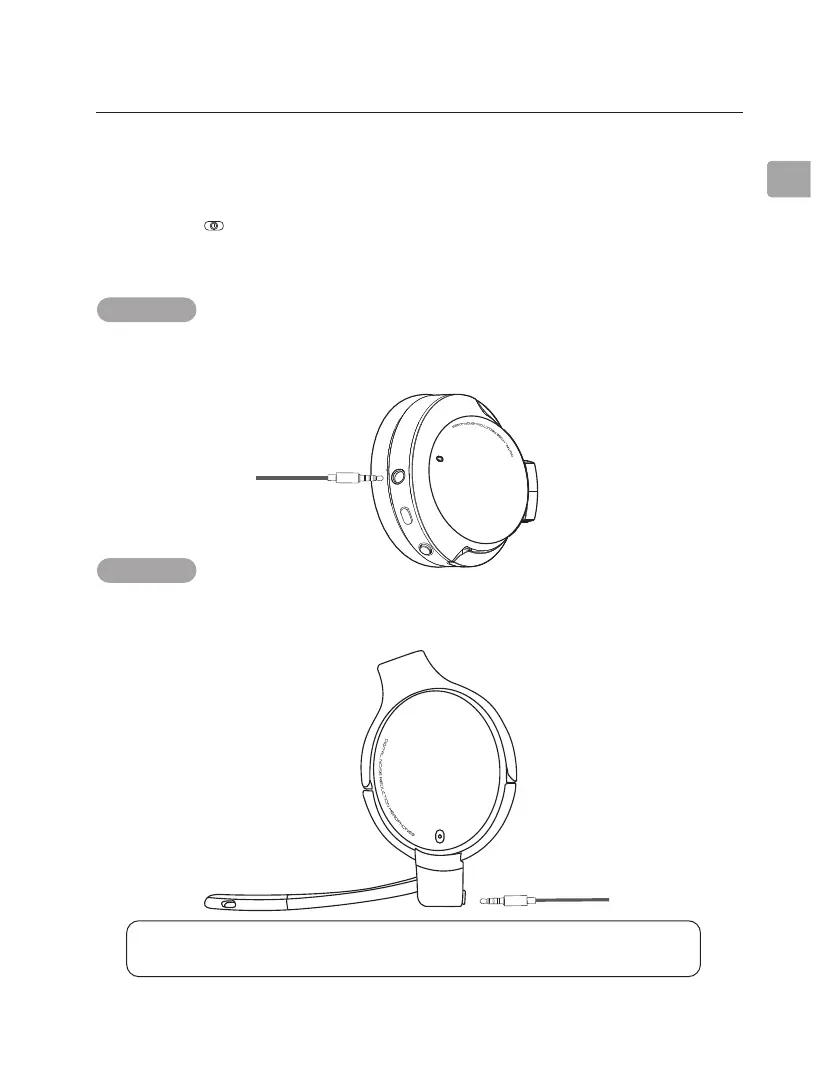
NOTE: When in wired mode, listening modes (ANC, transparency, normal) and all other
built-in buttons do not function. The switch on the boom mic will still work.
OPTION 2
If you don’t need the mic, plug the AUX 3.5mm audio cable into both the
headphones and your audio output device.
Using as Wired Headphones
STEP 1
Slide the switch to “OFF / Wired.”
OFF/
Wired
ON
Hold
to Pair
OPTION 1
If you don’t need the mic, plug the AUX 3.5mm audio cable into both the
headphones and your audio output device.
STEP 2
ANC
EQ



 To Next Page