10
EONUser Manual
EN
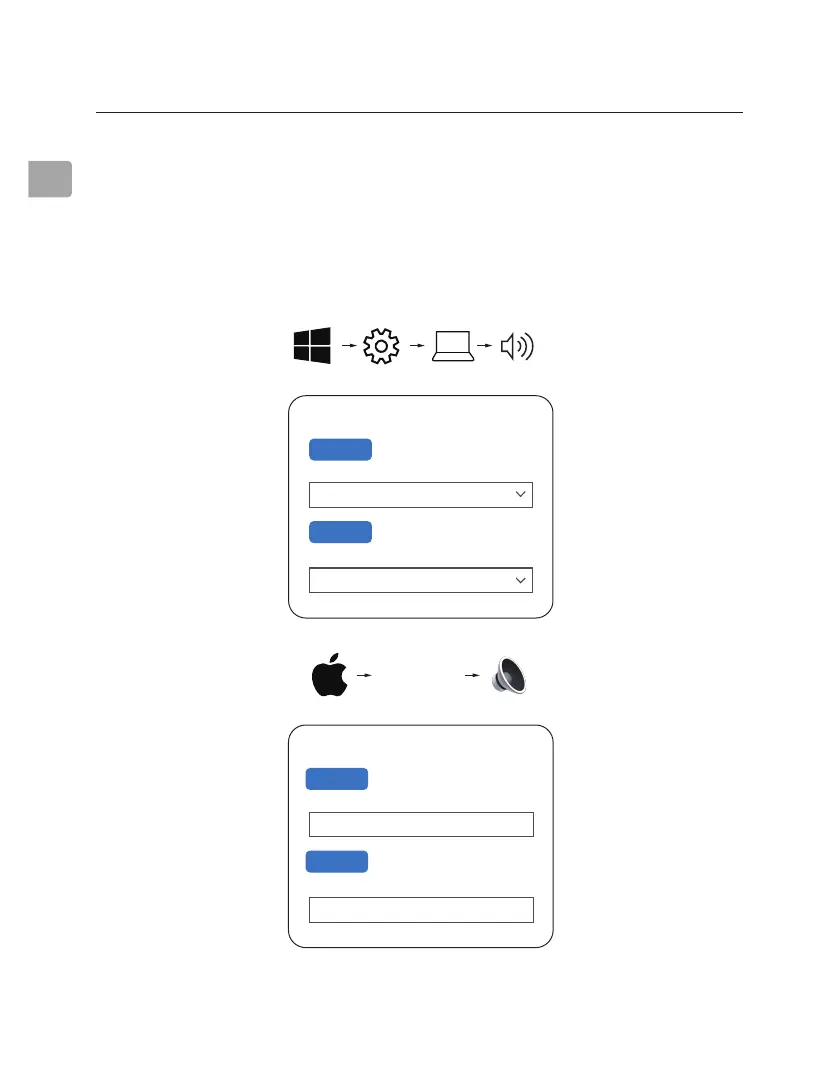
Sound
Output
Choose your output device
Input
Choose your input device
Avantree Eon
Avantree Eon
Settings System Sound
Sound
Avantree Eon
Output
Select a device for sound output:
Avantree Eon
Input
Select a device for sound input:
System
Preferences...
Sound
STEP 1
Access your device’s audio settings and set “Avantree Eon” as the default in
SOUND OUTPUT / PLAYBACK. Set “Avantree Eon” as the default in INPUT /
MICROPHONE DEVICE.
Conguring Audio Settings (only for PC)



 To Next Page