User Manual Quartet
11
STEP 1
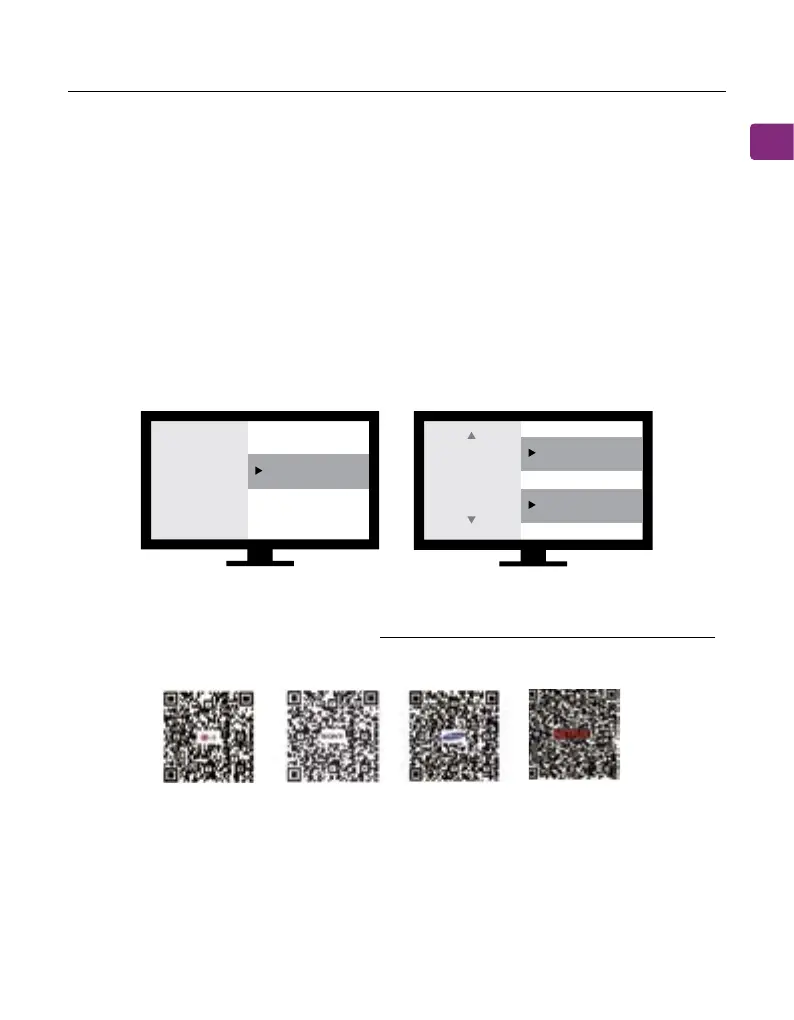
Using your TV’s remote control, press the SETTINGS button and navigate to the
AUDIO tab within the settings menu. (Please note that there may be dierenc-
es in the setting names depending on your brand of TV).
STEP 2
Proceed to AUDIO OUTPUT and select “OPTICAL OUT / DIGITAL OUT”. Many TVs
will do this automatically; skip this step as needed.
STEP 3
Set Audio Output format to “PCM / STEREO” ON or “DOLBY” OFF.
If you’re having trouble nding these settings, you can scan the QR code
correlating to your TV’s brand OR visit avantree.com/quartet/tv-audio-settings
for a more detailed guide.
Sound
Audio Out Optical Out
Digital
Audio
Format
or
PCM/Stereo
Dolby - OFF
LG SONY SAMSUNG NETFLIX /
AMAZON PRIME



 To Next Page