User Manual
Quartet
12
EN
Charging the Headphones
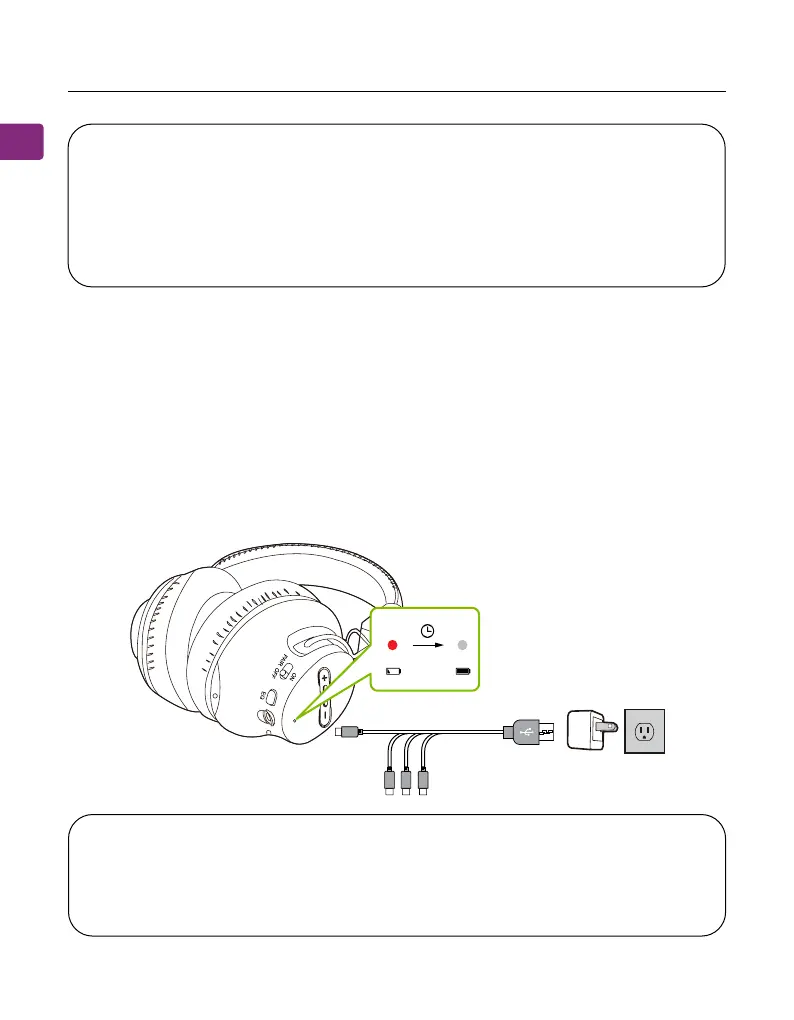
Charge the headphones using the provided USB C 4 in 1 charging cable and
a 5V/500mA-2A rated USB adapter (your phone charger or similar should work).
A solid red light indicates that charging is in progress; once the light turns o,
your headphones are fully charged. It takes about 3 hours for the headphones
to fully charge.
NOTE 1: Smart TVs automatically reset their settings after system updates.
After an update, make sure your audio output / input format is set to
“PCM” and NOT “AUTO” or “Dolby.”
NOTE 2: When using Netix or Amazon Prime, you may need to start the
movie / show before changing theaudio settings to “PCM.”
NOTE: We recommend using a USB adapter rated 1A-2A to charge the
headphones, especially when charging four headphones simultaneously.
Charging with a 500mA adapter may result in longer charging times when
charging multiple headphones at once.



 To Next Page