User Manual
Quartet
10
EN
Connecting the Headphones to the Transmitter
STEP 1
Power the transmitter on by sliding the switch to the ON position.
STEP 2
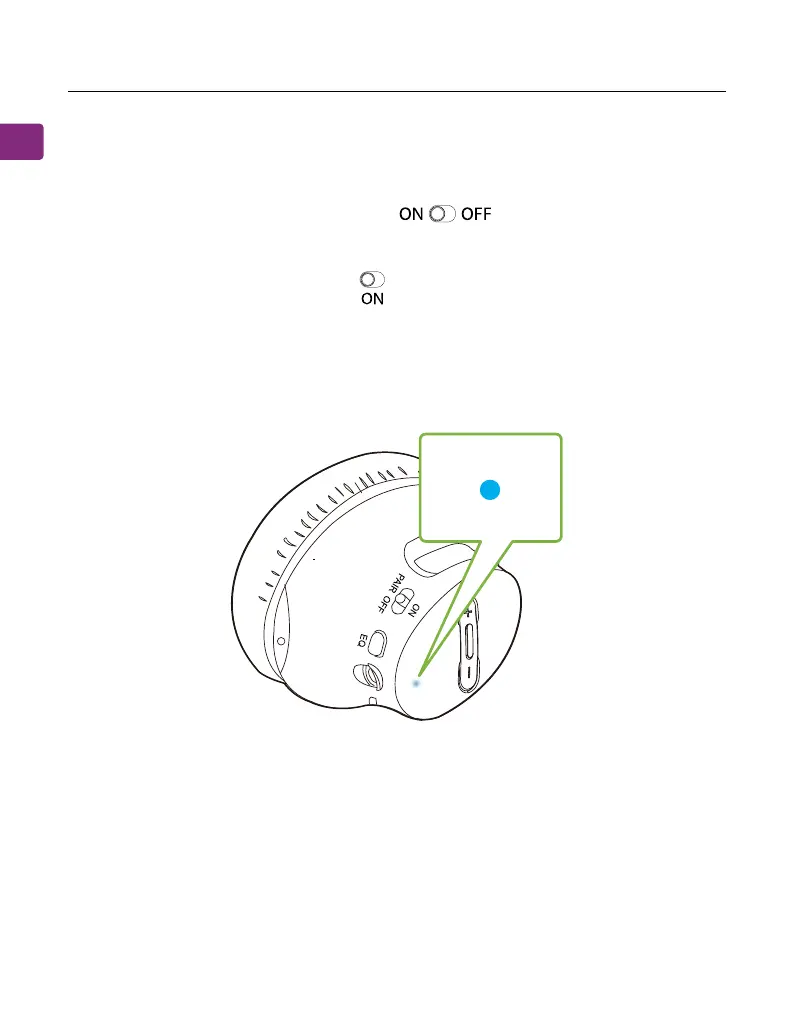
On your headphones, slide the switch to the ON position.
STEP 3
Keep the headphones close to the transmitter; they should connect within 2-5
seconds. Once connected, the headphones’ LED indicator will turn solid blue.
OFF PAIR
Setting Up Your TV(For Optical Connections Olny)
If you connected to your TV via the optical OUT or “OPT OUT” port, you’ll need
to congure your TV settings in order to receive audio.



 To Next Page